Your onboarding is done: Business Manager connected, number verified, WhatsApp profile set up, send and receive test passed, billing configured. If that is not the case yet, first follow the 7 onboarding steps. No free number for WhatsApp? Kanal can provide a dedicated French landline number: Get a dedicated WhatsApp number with Kanal. Now it's time to structure your first month.
The plan below follows a progressive logic: first build a healthy history of conversations with your customers, then expand your sends once your account is established with Meta.
Period | Priority action | Expected outcome |
|---|---|---|
Days 1 to 7 | Activate abandoned cart and post-purchase | First recovered revenue and fewer support requests |
Days 1 to 14 | Get your Business Manager verified | Possible access to the 2,000 contacts per 24 hours tier |
Days 1 to 14 | Set up opt-in collection | A base of consenting contacts that grows continuously |
Day 14 | Launch a first campaign to 1,000 to 2,000 contacts (verified Business Manager) | A warmed-up account and preserved quality |
Day 30 and beyond | Analyze your data, optimize your flows, expand your audiences | Controlled volume ramp-up |
Do not start with a massive campaign. Start with automated flows: they run continuously without any work on your side and generate conversations your customers expect. Two automations cover most of the potential.
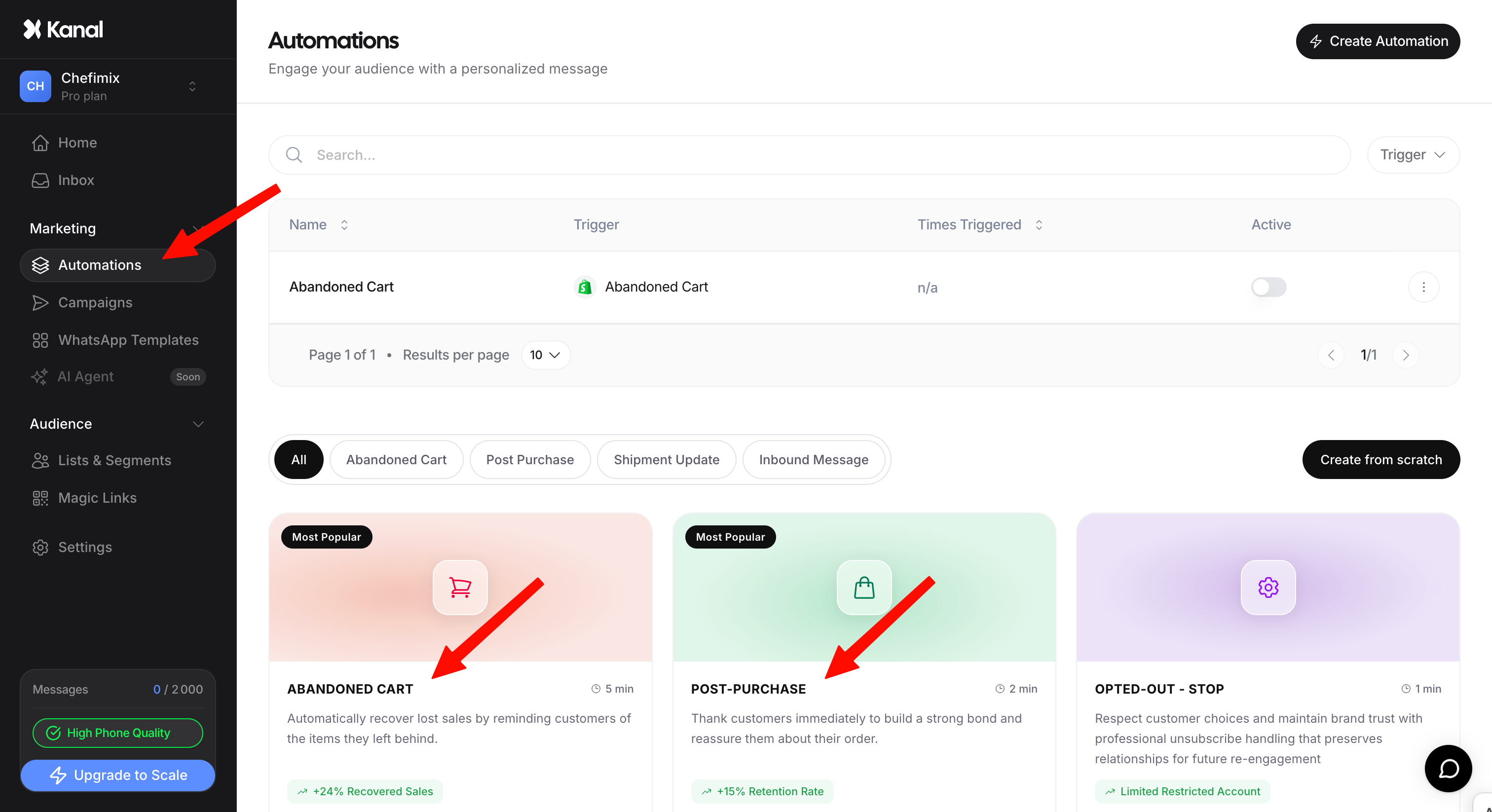
A reminder sent a few hours after the cart is abandoned, with a button that leads straight to the cart. It is the automation that generates the most recovered revenue on WhatsApp, thanks to open rates well above email.
Triggered at order confirmation and then at shipping, with the tracking link. This flow reassures the customer about their order's progress, reduces inbound support requests, and creates positive interactions that strengthen your account.
Without verification, your business portfolio is limited to 250 unique contacts per 24 hours: the day-14 campaign is not possible at that level. Start the verification in the first week. Meta's review can take up to 14 business days, and Meta then reviews the quality of your messages before granting the 2,000 tier.
Follow the process in Verify your Business Manager account on Meta.
Meta requires your marketing campaigns to be sent only to contacts who have agreed to receive your messages on WhatsApp. Note: Kanal automatically excludes only unsubscribed (opt-out) contacts from your campaigns. It is up to you to make sure your audience has given its consent.
Set up collection from the start so you have a usable base when your first campaign goes out:
The opt-in checkbox at Shopify checkout, which feeds your base with every order.
The Shopify Widget on your site, which turns visitors into conversations. Install it from Settings > Developers > Shopify Widget (click your team name to open Settings).
Magic Links and QR codes, to embed in your emails, on your social channels, or inside your packages.
After two weeks of automations, Meta has seen regular, positive conversations on your number. If your Business Manager is verified and your limit has moved to 2,000, you can launch your first campaign, following three principles.
A measured volume: between 1,000 and 2,000 contacts for this first send.
An engaged audience: recent customers, repeat buyers, or contacts who have already interacted with you. They are the least likely to block you.
Content with real value: a clear offer, a new arrival, or exclusive access. Avoid an ad-like tone, which feels out of place on this channel.
Check your current limit in the Messages X / Y counter at the bottom left of Kanal. If it is still 250, keep your campaign to 250 contacts.

Two sending rules to know:
no campaign is sent between 8 pm and 8 am (time in your team's country): sending resumes in the morning;
when the 24-hour limit is reached, the campaign stops, then resumes once the limit is available again.

Sending your first campaign to a large, low-engagement audience is the main cause of quality drops on new accounts. A spike in blocks can lead to the temporary suspension of your marketing templates.
You now have real data on your performance. Three workstreams shape what comes next.
Look at your abandoned cart recovery rate and the click rate of your messages. If clicks are low, rework the hook or the offer. Also read the replies coming into your Inbox: your customers' recurring questions tell you exactly what is missing from your messages, and can be built directly into your templates.
Your account now has a track record. Increase your campaign volumes gradually, checking your account quality after each send. Refine your targeting with Kanal segments or your Klaviyo integration, available from the Scale plan.
After a month of conversations, you know which questions come up most often. Set up the AI Agent, available from the Scale plan, to answer them automatically and free up time for your team.
Throughout this first month, keep an eye on your number's quality, visible at the bottom left of your Kanal interface (high, medium, low or unknown). It reflects how your recipients react to your messages.
If it drops to "Medium", slow down your marketing sends and let your utility flows run for a few days. It is the best way to see it climb back up without losing access to your campaigns. To read each indicator in the box, see Track your WhatsApp account status.