
To keep your WhatsApp services running without interruption and make sure your invoices carry the right tax information, it is important to keep your details up to date. Kanal uses the secure Stripe platform to manage your payments and invoices.
Accessing the billing portal
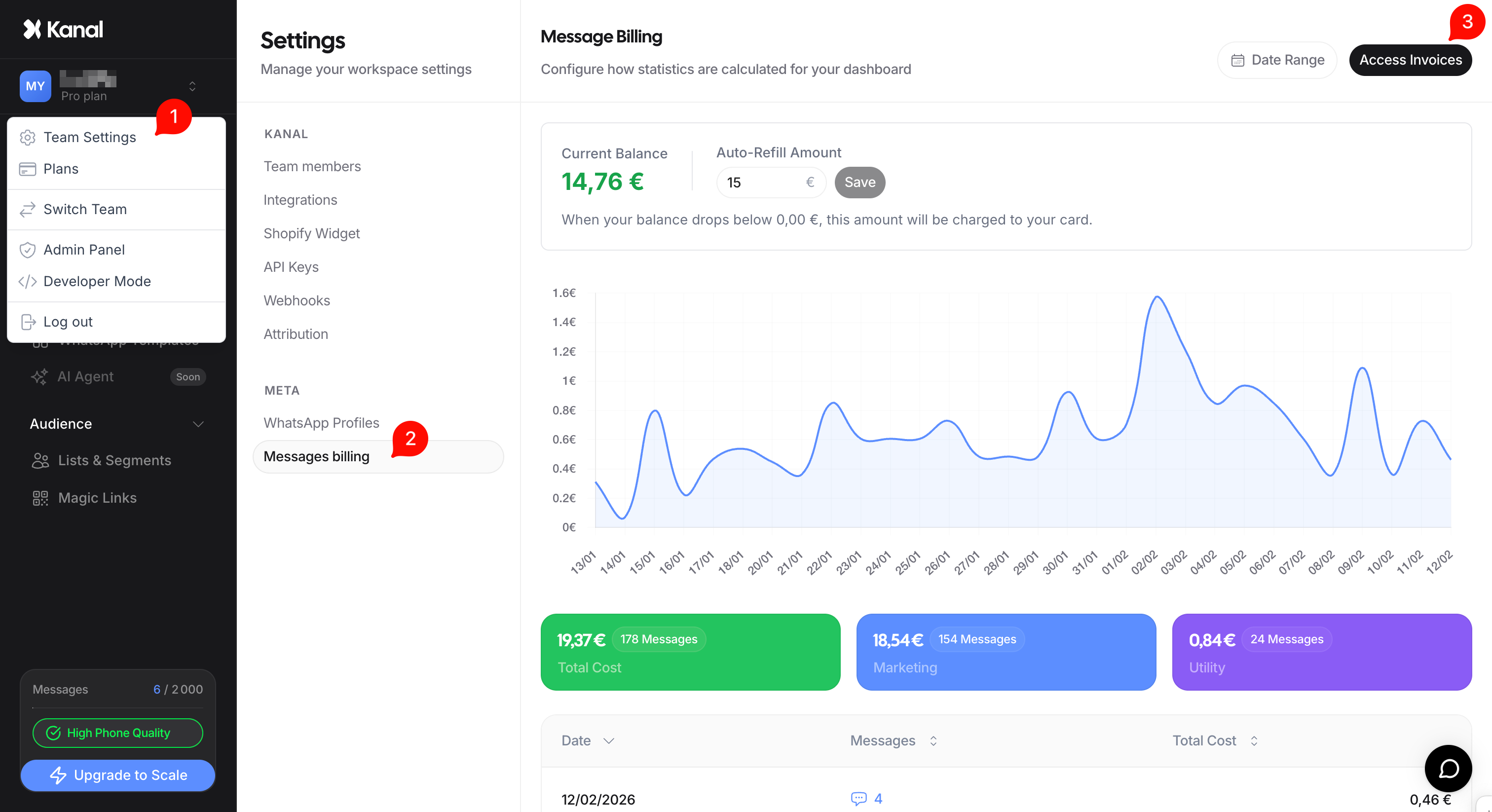
All your payment management is centralized in your settings:
Go to settings: In the left sidebar of your Kanal interface, click the Settings tab.
Billing section: Once in settings, click the section labeled Invoice.
Stripe portal: Click the Access Invoice button.
As soon as you click this button, you are automatically and securely redirected to your Stripe customer portal.
What information can you update?
Once in the Stripe portal, you have full control over your financial details:
1. Payment method
You can add a new credit card, remove an old one, or set a default payment method. This is crucial to avoid failed Auto-refill charges that could suspend your sends.
2. Billing information
In this section, you can update:
Your company name.
Your registered business address.
The email address where invoices are sent.
3. Tax information (VAT)
If you are subject to VAT, you can add or edit your intra-community VAT number. This lets Stripe generate compliant invoices for your accounting.
Downloading your past invoices
The Access Invoice button also lets you view your full payment history. From there you can download each invoice as a PDF to send to your accounting team.
Back to Kanal
Once you have finished your changes in Stripe, simply click the return link (usually labeled "Back to Kanal", or close the tab) to get back to your dashboard. Changes take effect instantly.
Security note: Kanal never stores your credit card numbers on its own servers. All your payment data is encrypted and secured by Stripe, the world leader in online payments.