Integrating Klaviyo with Kanal is a strategic step to unify your email and WhatsApp communication. This connection syncs your customer data in real time and automates your WhatsApp sends based on the behaviors detected by Klaviyo.
Beyond simple data syncing, this integration lets you use Klaviyo's segmentation power to trigger WhatsApp messages in scenarios you have customized.
It is especially useful for setting up specific flows that are not yet native in Kanal, such as:
Birthday flows.
Custom upsell strategies based on very specific purchase conditions.
Any other complex workflow that requires Klaviyo's advanced filters.
For a smooth setup, we recommend keeping two browser windows open at the same time: the Kanal interface and the Klaviyo interface.
The first part of the setup happens in your Klaviyo interface, to create a secure gateway to Kanal.
Log in to your Klaviyo account.
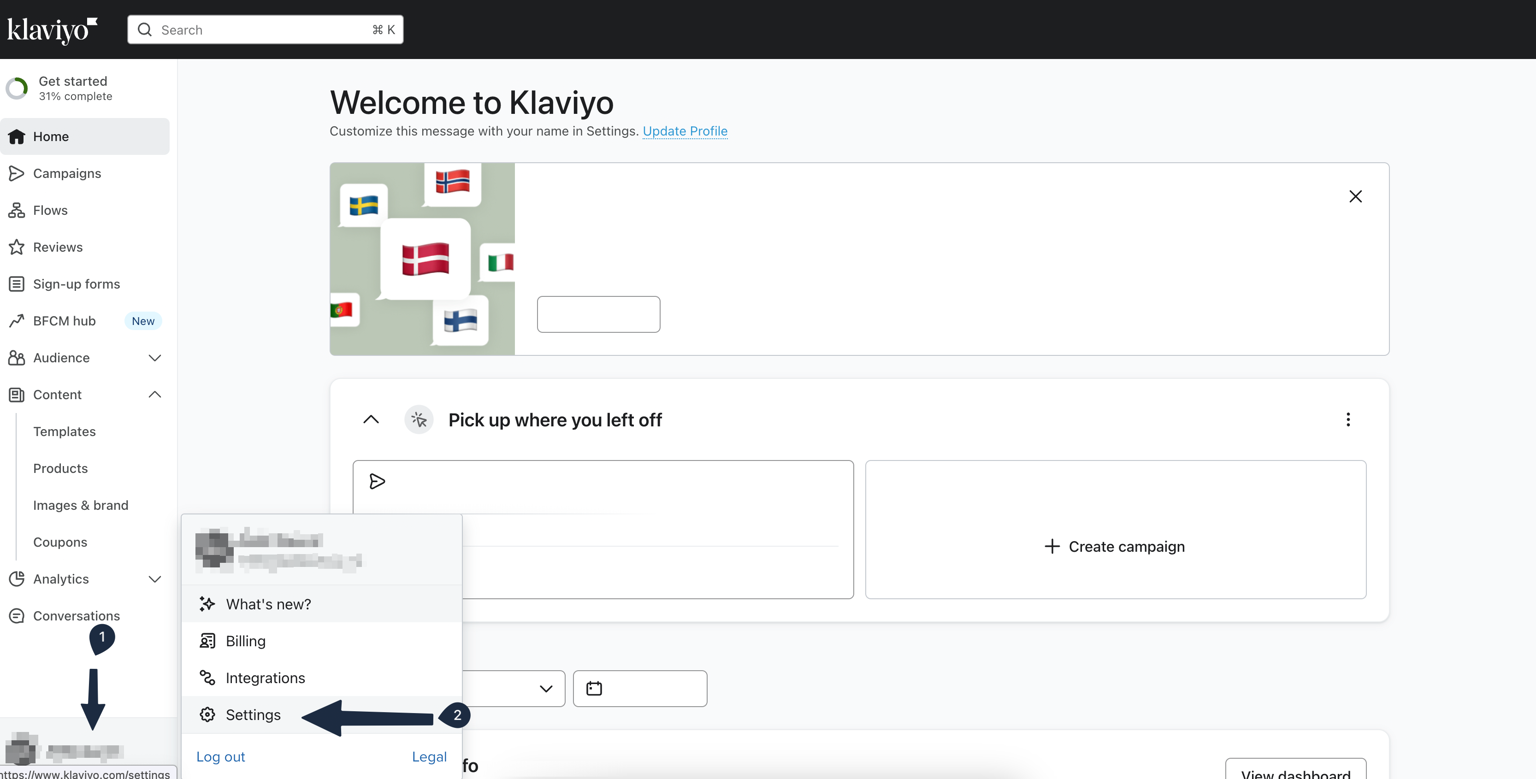
Open the settings: Click the Settings button at the bottom left of your Workspace.
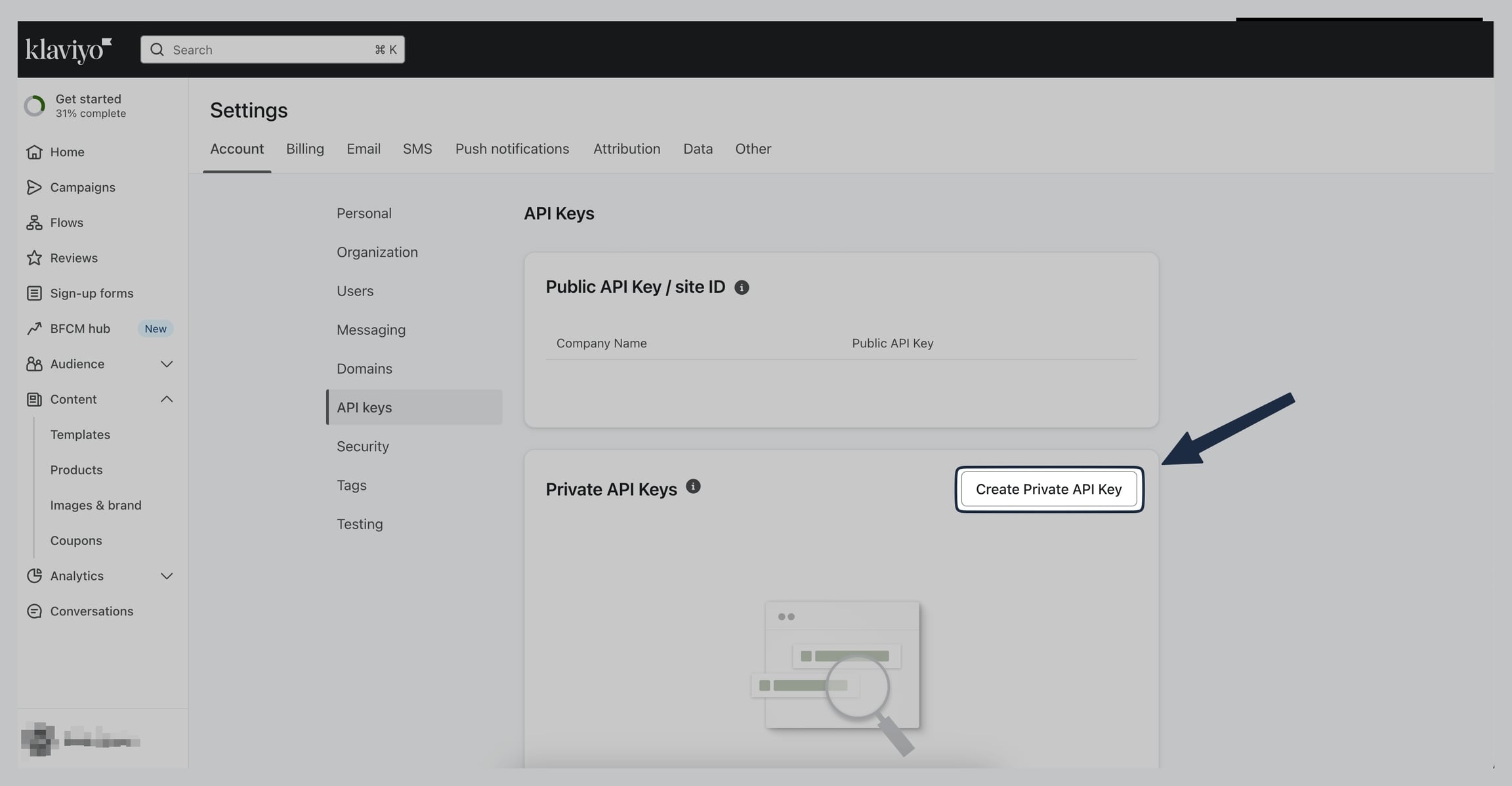
Access the API keys: In the menu, click the API Keys section.
Create the key: Click the Create Private API Key button.
Configure the key:
Key name: Enter a clear name like "Kanal WhatsApp" so you can identify where the connection comes from.
Access level: Make sure to select the Full Access Key option. This access level is required for Kanal to retrieve your segments and interact with your flows without technical restrictions.

Save and copy: Once the key is created, copy it to your clipboard right away.
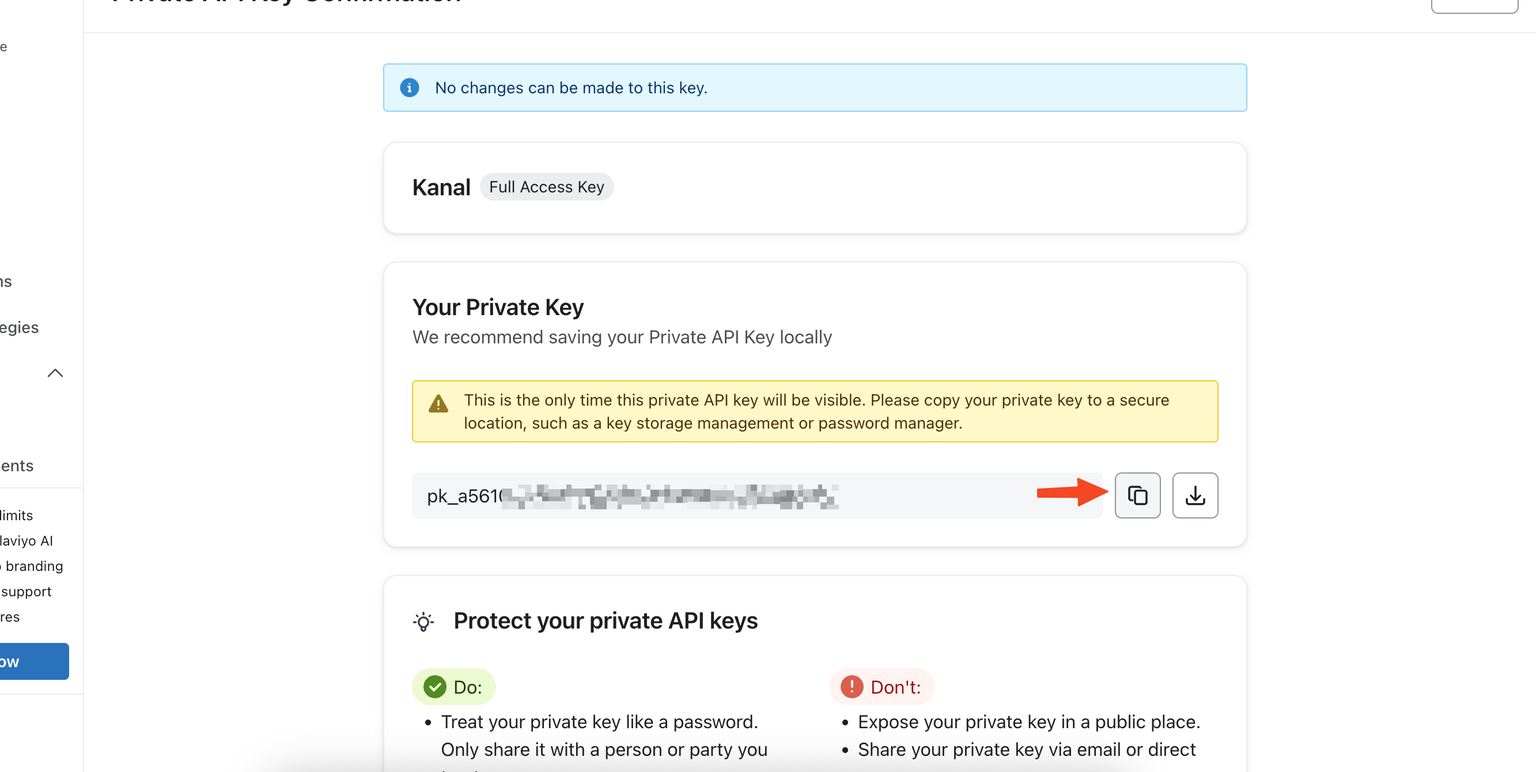
Once your Klaviyo private key is copied, you need to enter it in Kanal to finalize the connection.
Log in to your Kanal dashboard.
Open the integrations: In the left sidebar, go to Settings, then click Integrations.
Connect: Find the Klaviyo logo and click the Connect button.
Validate: Paste the private API key you generated earlier into the dedicated field and confirm.
Once these steps are done, the basic version of the integration is up and running. Your Klaviyo segments will gradually appear in Kanal.
Once the connection is set up, the next step is to add your WhatsApp templates directly inside your Klaviyo customer journeys (Flows). This is done with Webhooks, which send an automatic message as soon as a customer reaches a step in your Klaviyo flow.
Note that this setup is covered in dedicated guides for users who want to automate their sends in an advanced way.
If the integration does not seem to work or your segments do not show up:
Check that you selected "Full Access Key" when creating the key in Klaviyo.
Make sure you copied the entire key with no extra spaces.
If the issue persists, contact your Customer Success Manager through your WhatsApp group or the support chat.
