The Marketing Messages API for WhatsApp is Meta's API dedicated to marketing messages. It was previously called MM Lite (Marketing Messages Lite API), a name you may still see in Kanal.
Kanal uses it only for your marketing templates. Utility templates, free-form messages, and your replies to customers keep going through the standard Cloud API.
Delivery optimized by Meta: Meta takes your messages' engagement into account in its delivery decisions. According to Meta, these optimizations drove more reads and clicks in its tests.
Animated GIFs: a GIF in a marketing template requires this API. Without it, Kanal shows an error message when you add a GIF. How to add a GIF in WhatsApp?
Removal of the WhatsApp provider mention (e.g. "app.getkanal.com") at the top of the message.
The marketing features that Meta reserves for this API.
Yes. For numbers connected since December 2025, the API is enabled by default on Kanal's side. But Meta only applies it once its terms have been accepted by an admin of your Business Manager. Until then, the API is not active at Meta, whenever your number was connected.

Only a Business Manager admin (full control) can accept these terms. Our support team cannot do it for you.
To check, open Meta's WhatsApp Manager, Overview page, Alerts section: if a prompt to accept the terms for the Marketing Messages API for WhatsApp is shown, activation is still pending.
Enabling it means accepting Meta's terms. This must be done by an admin of the business portfolio (Business Manager), in one of these two ways:
In the WhatsApp Manager: Overview page, Alerts section, click the prompt to accept the terms for the Marketing Messages API for WhatsApp.
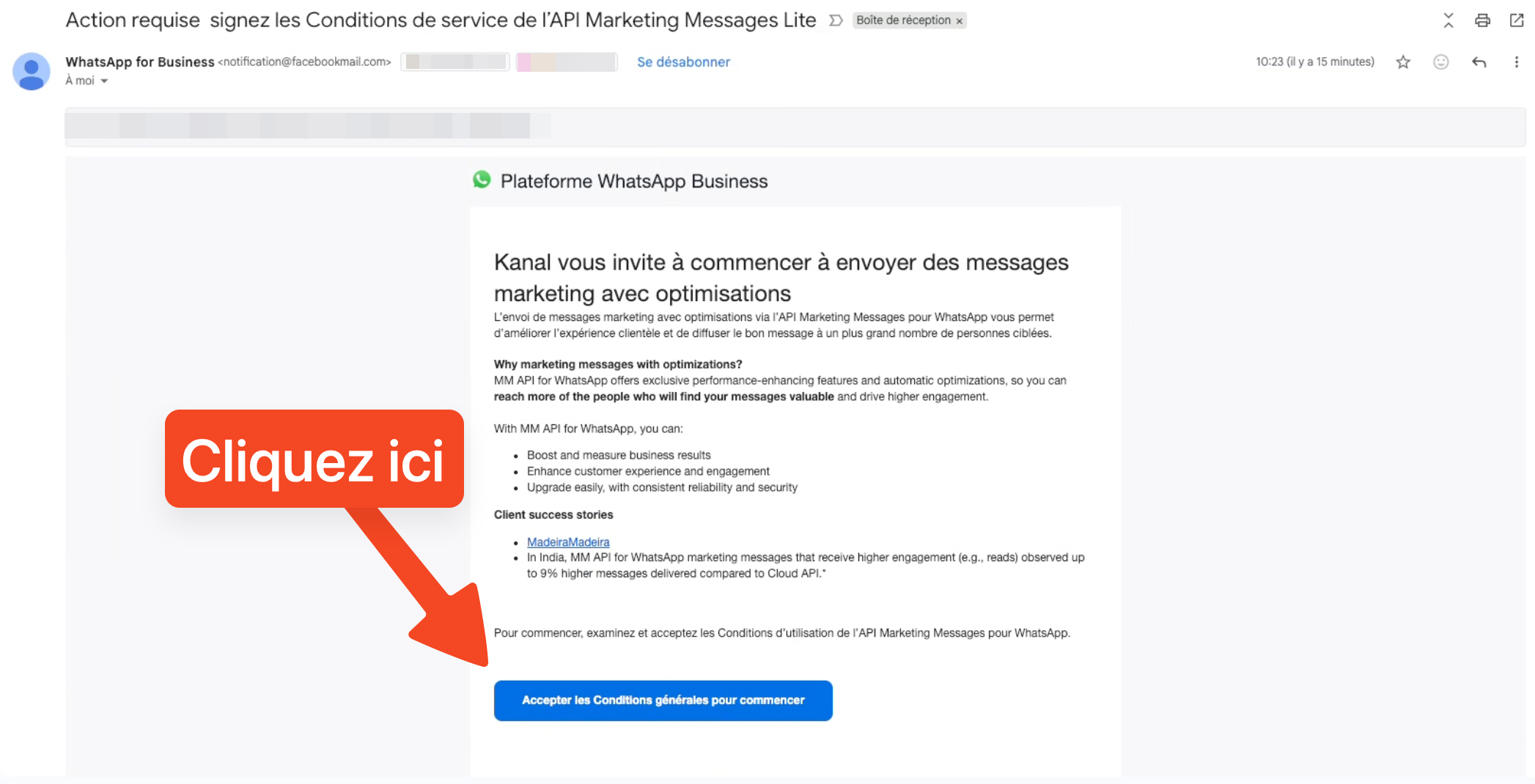
From Meta's email, if you received it, by following the 5 steps below.
1. In Meta's email, click "Accept the terms and conditions to get started".
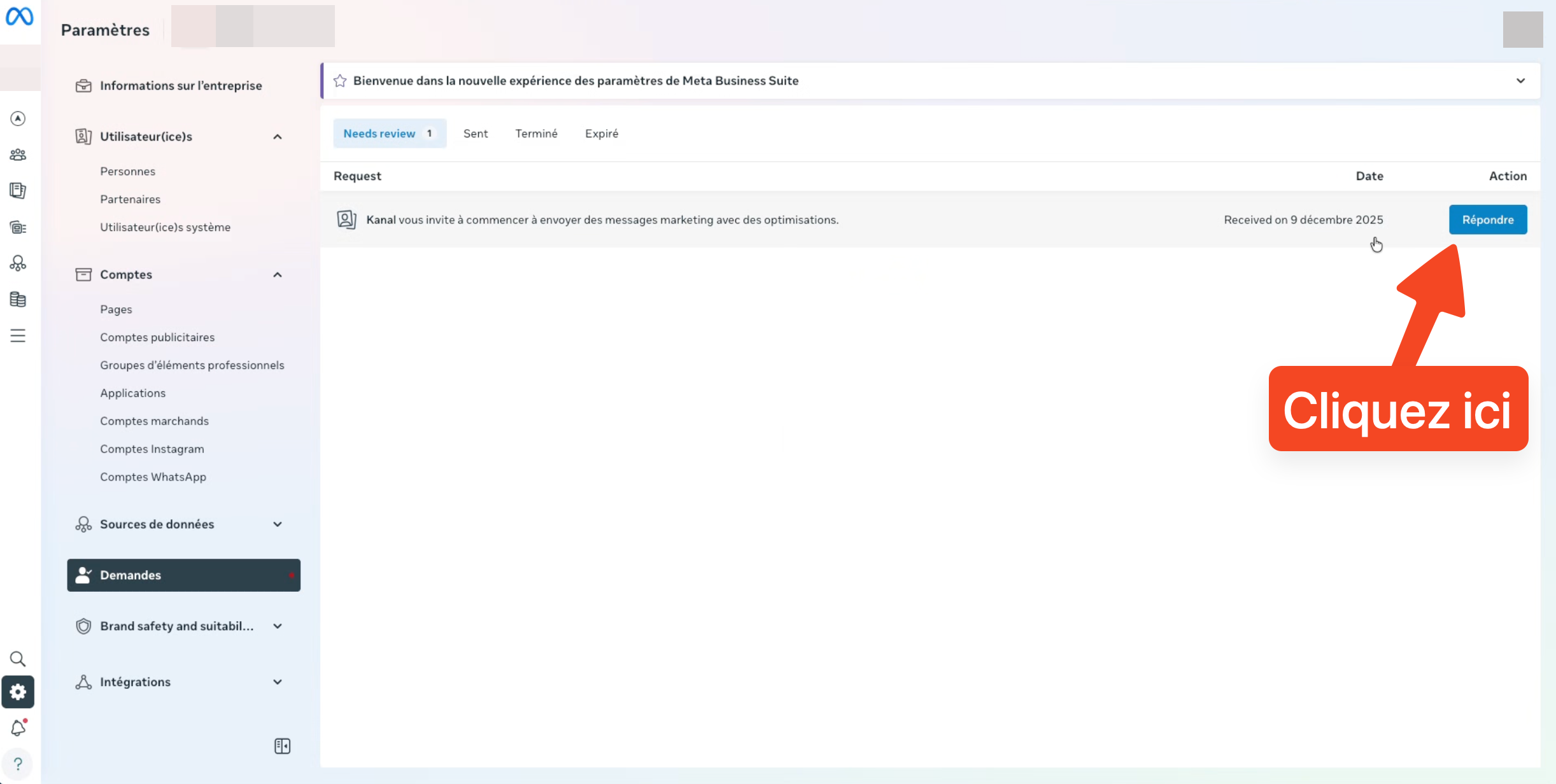
2. Click "Reply" on the right side of your screen.
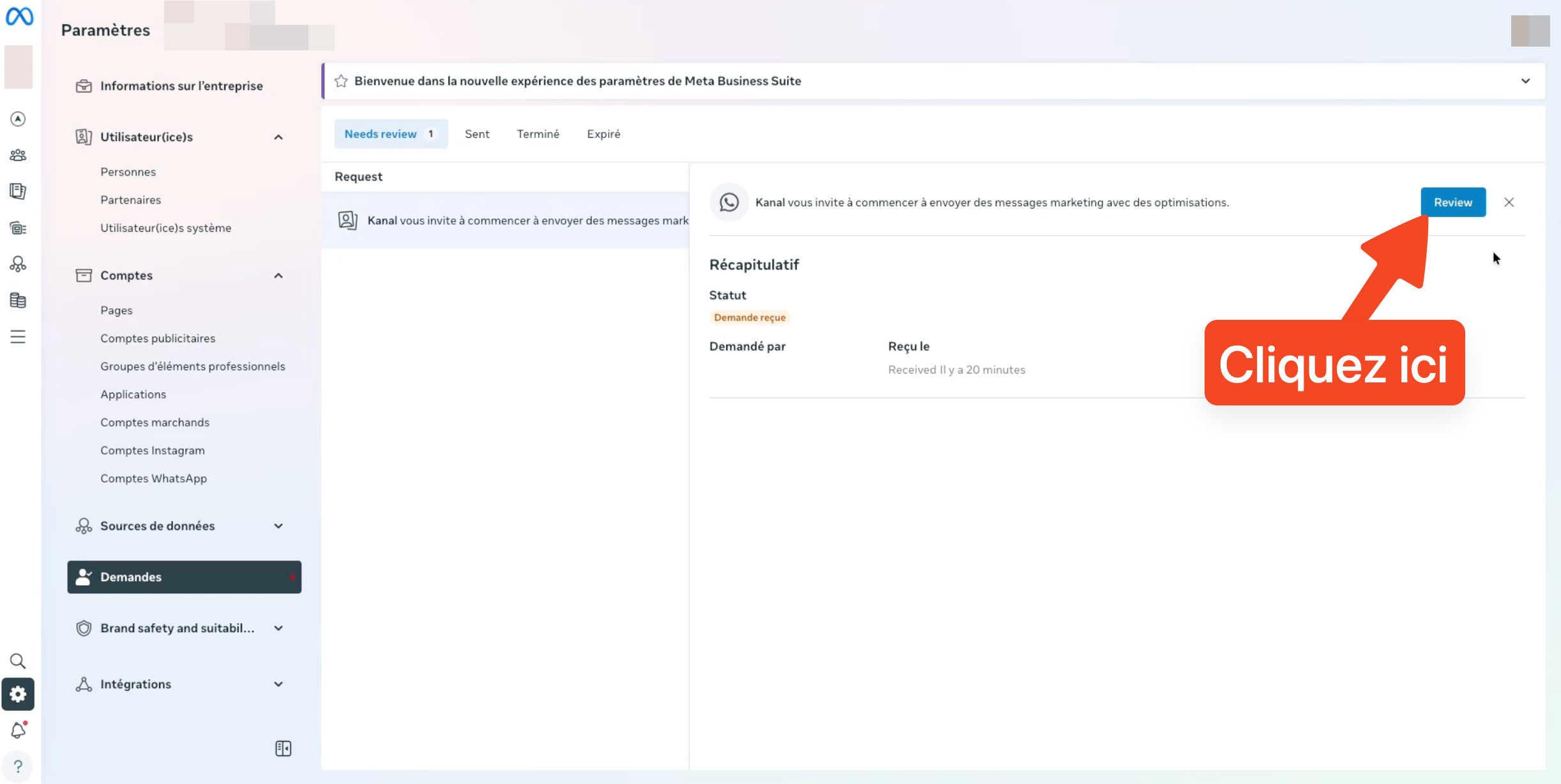
3. Click "Review".
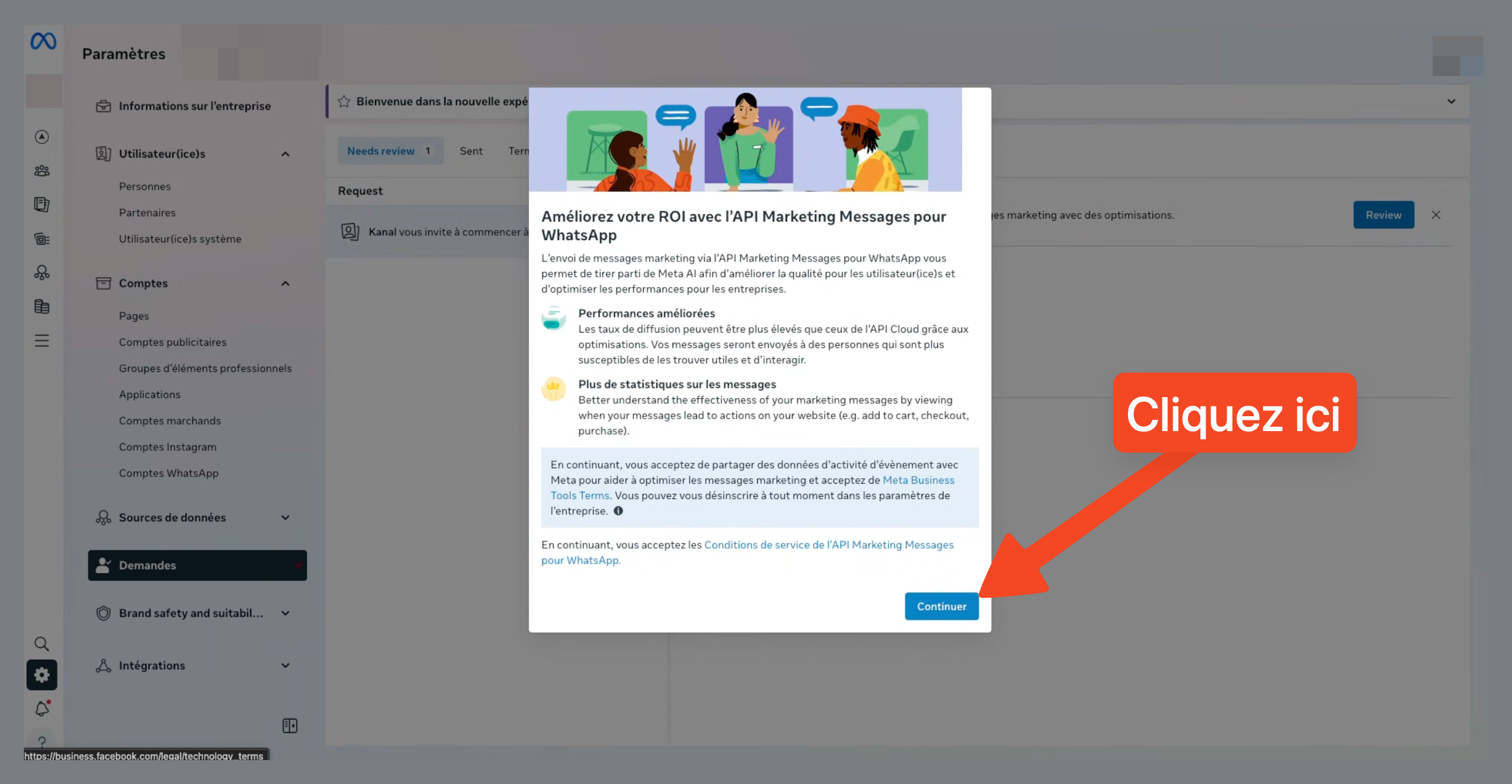
4. Click "Continue".
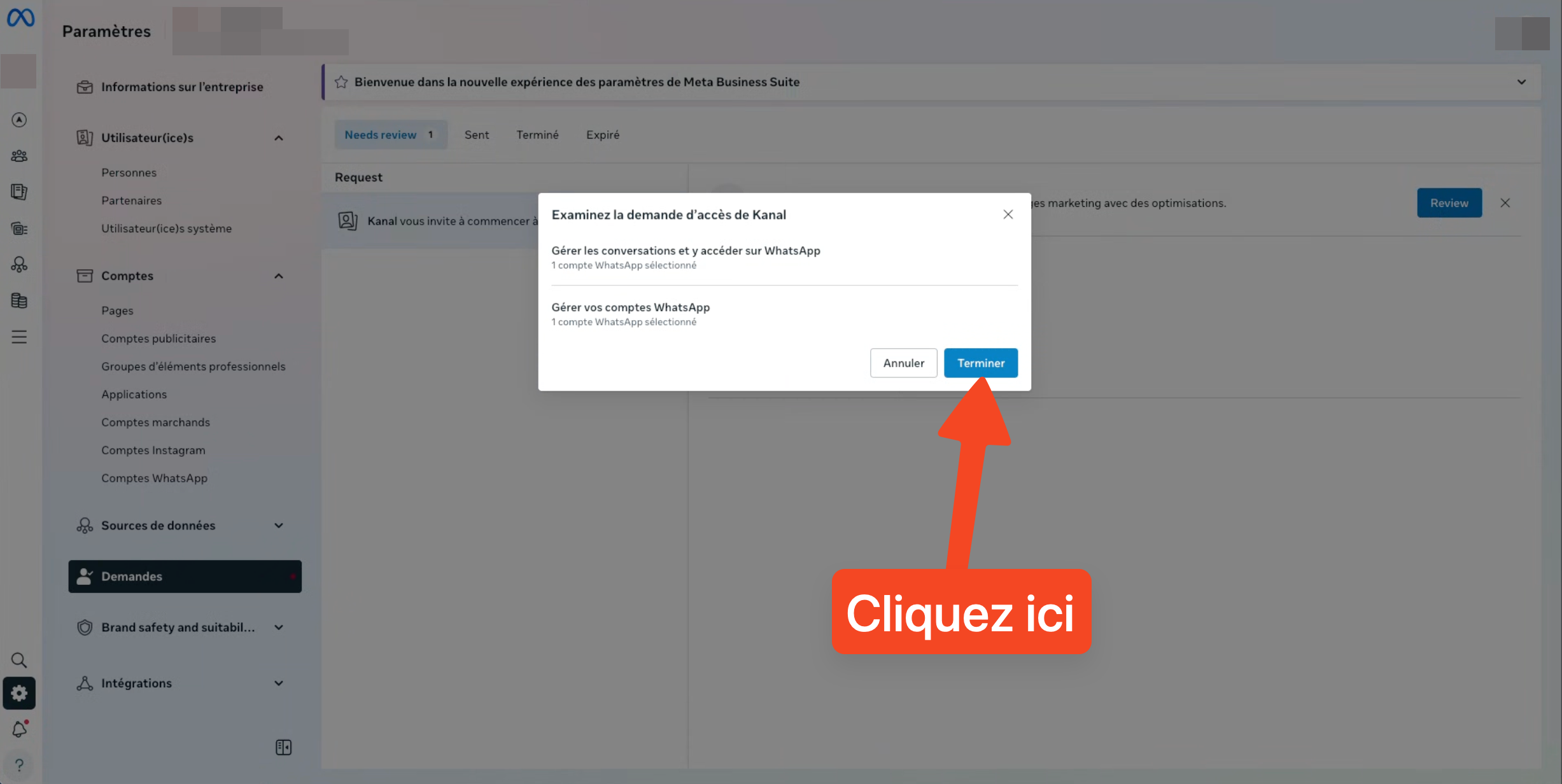
5. Click "Finish".
Once the terms are accepted, your marketing templates are sent through the Marketing Messages API for WhatsApp.