
What is it?
The Marketing Messages API for WhatsApp is Meta's API dedicated to marketing messages. It was previously called MM Lite (Marketing Messages Lite API), a name you may still see in Kanal.
Kanal uses it only for your marketing templates. Utility templates, free-form messages, and your replies to customers keep going through the standard Cloud API.
What it brings
Delivery optimized by Meta: Meta takes your messages' engagement into account in its delivery decisions. According to Meta, these optimizations drove more reads and clicks in its tests.
Animated GIFs: a GIF in a marketing template requires this API. Without it, adding a GIF is blocked and Kanal asks you to contact support. How to add a GIF in WhatsApp?
Removal of the WhatsApp provider mention (e.g. "app.getkanal.com") at the top of the message.
The marketing features that Meta reserves for this API.
Do I need to enable it?
Numbers connected to Kanal since December 2025 are enabled by default: you have nothing to do. The procedure below only applies to older numbers that have not enabled it yet.
To check, click your team name, then Settings > Account updates: the terms acceptance appears there once signed.
Enabling the API on an older number
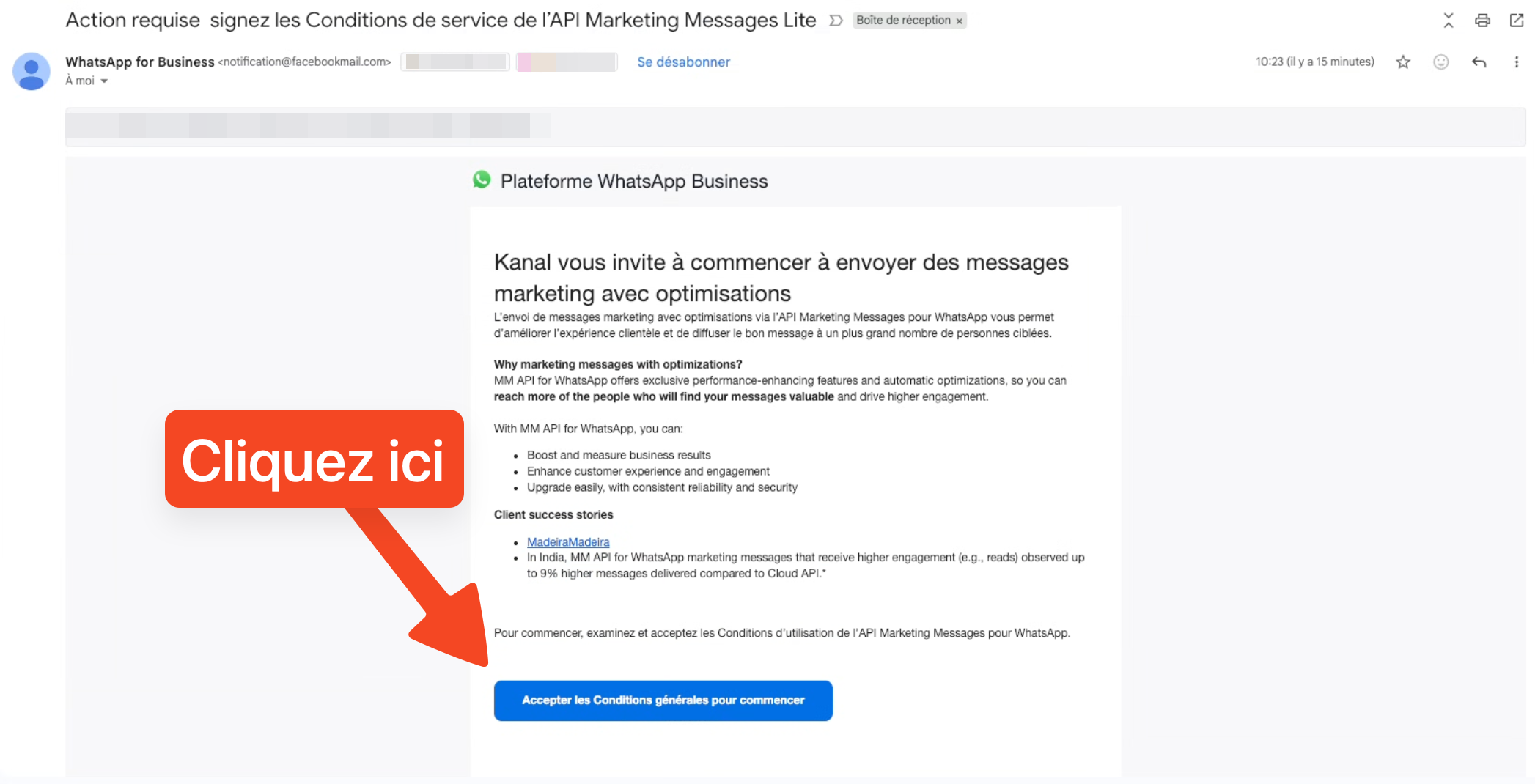
Enabling it means accepting Meta's terms. This must be done by a person with full control of the business portfolio (Business Manager). You receive an email from Meta for this. The procedure has 5 steps:
1. In Meta's email, click "Accept the terms and conditions to get started".
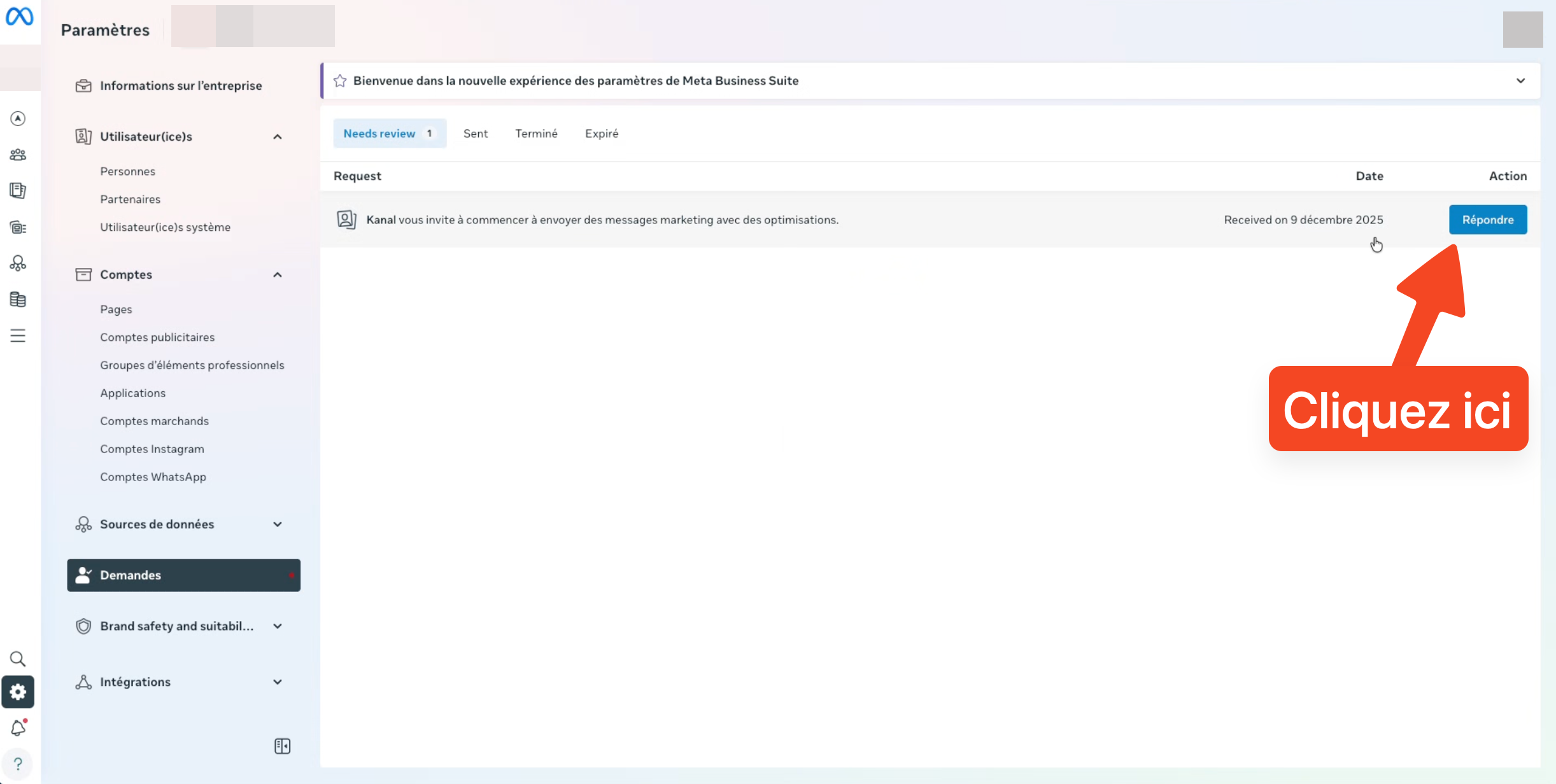
2. Click "Reply" on the right side of your screen.
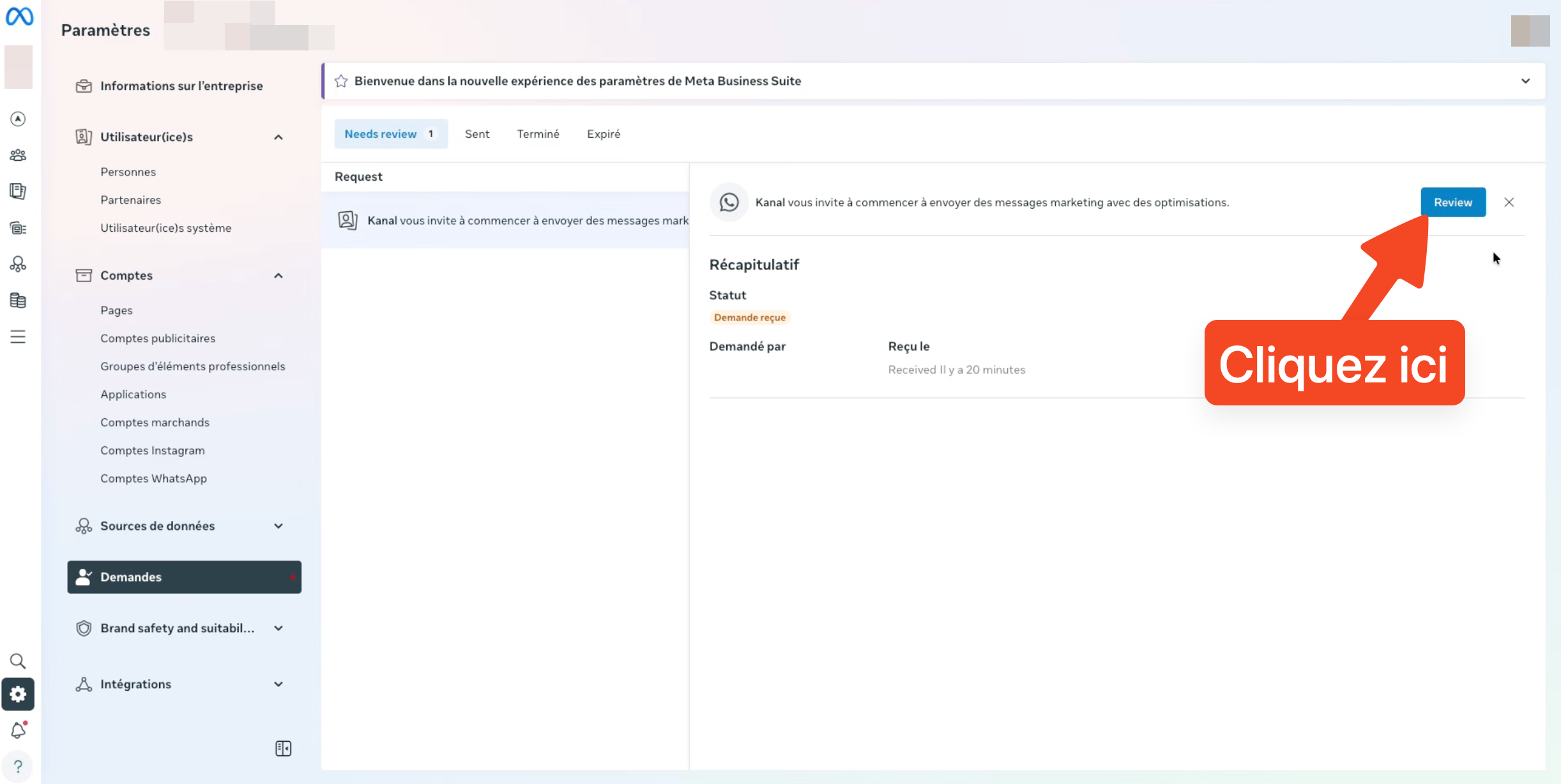
3. Click "Review".
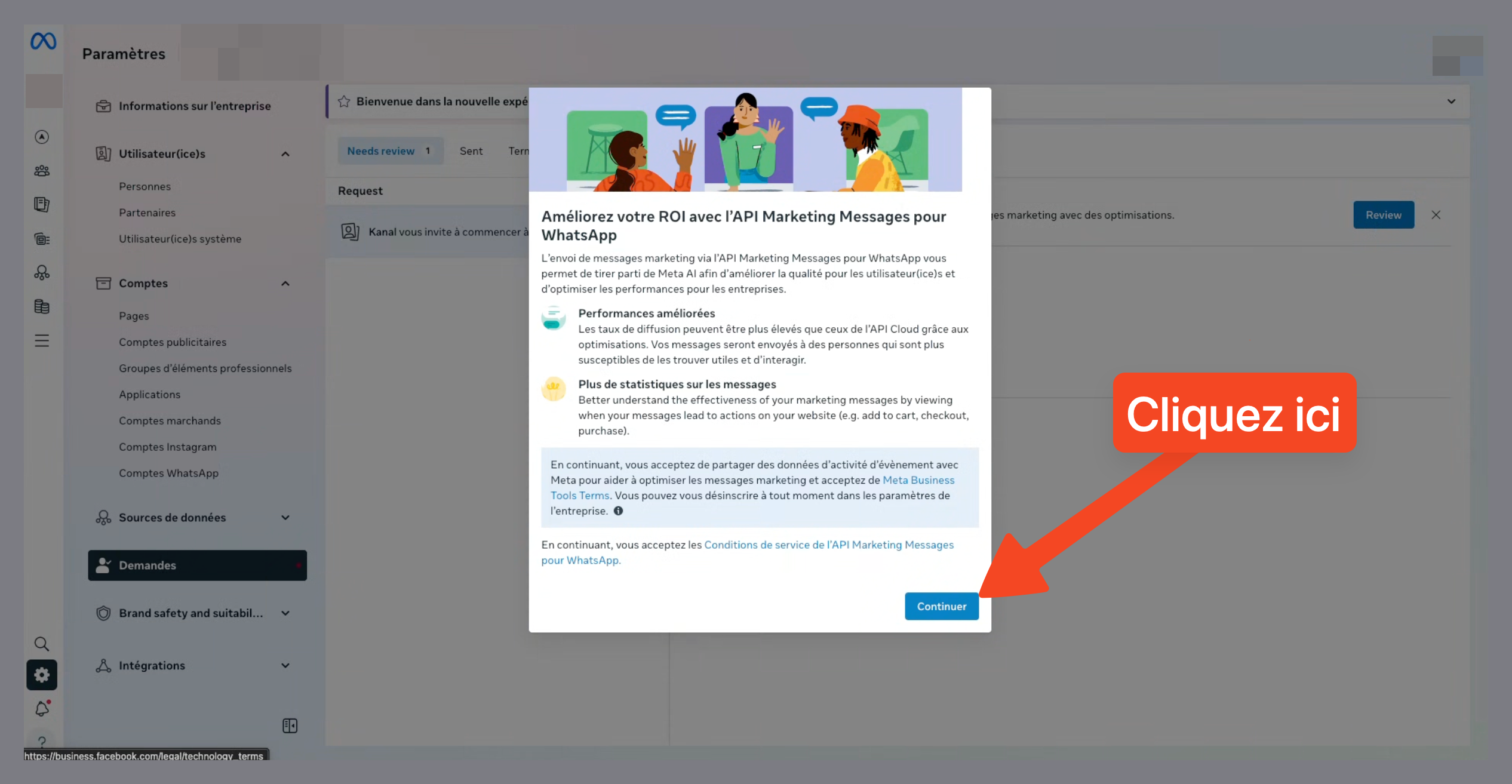
4. Click "Continue".
5. Click "Finish".
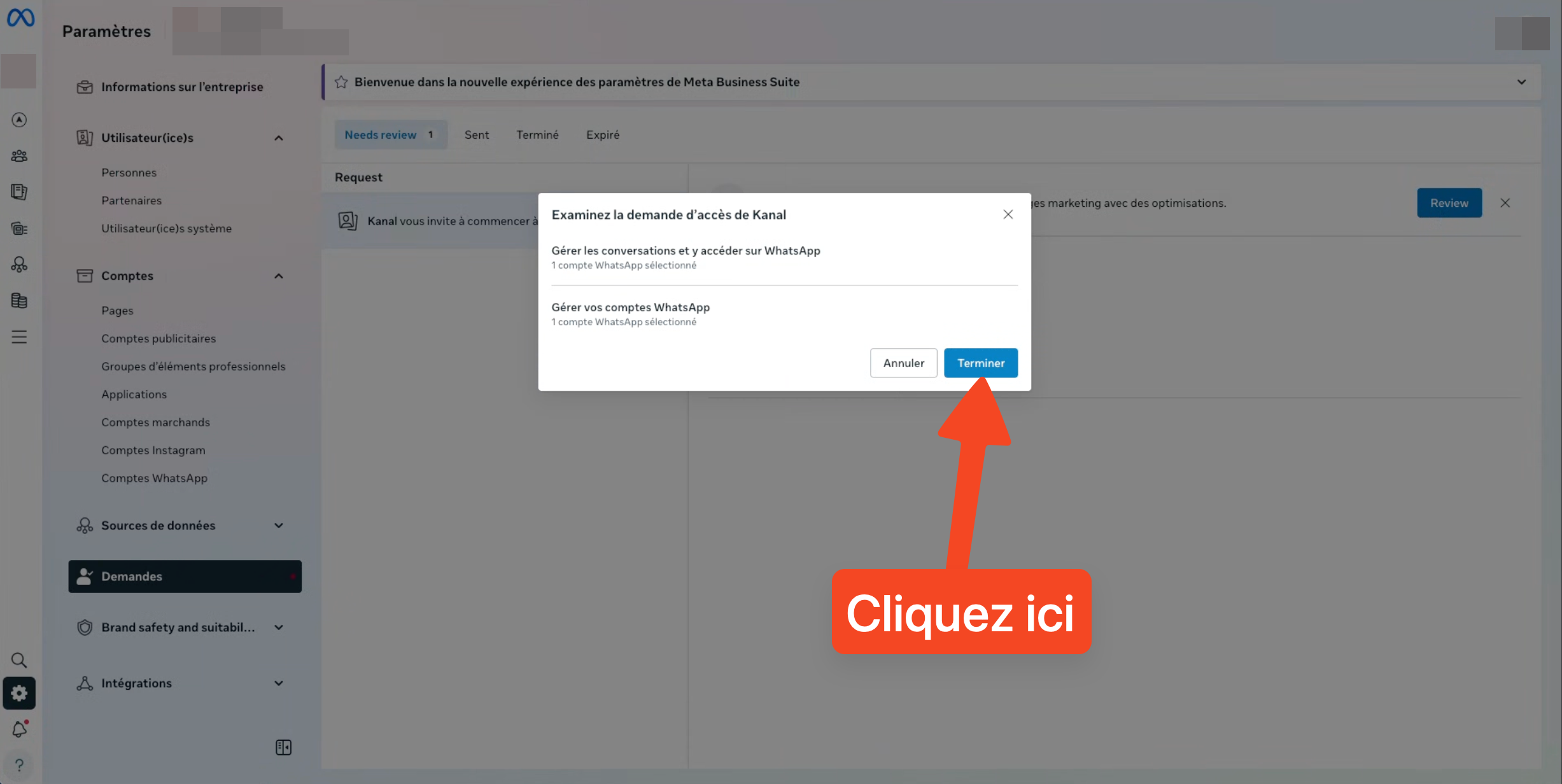

Once the terms are accepted, your marketing templates are sent through the Marketing Messages API for WhatsApp.