Automating delivery notifications on WhatsApp is one of the most effective levers to improve customer experience and reduce post-purchase support requests. However, the reliability of these messages depends on one technical prerequisite: the delivery status must be visible inside your Shopify admin.
Kanal acts as an information relay. To trigger a specific message (for example "Your package has been delivered"), our system must receive a confirmation from Shopify. If your carrier passes its tracking number to Shopify but does not update the status in real time, Kanal will not have the trigger it needs to send the notification at the right moment.
Before setting up your Shipment Update automations, check the quality of the data your carrier sends to your store.
Open your Shopify admin.
Go to the Orders section.
Select a past order that you know has already been delivered to the customer.
Find the section dedicated to the tracking number.
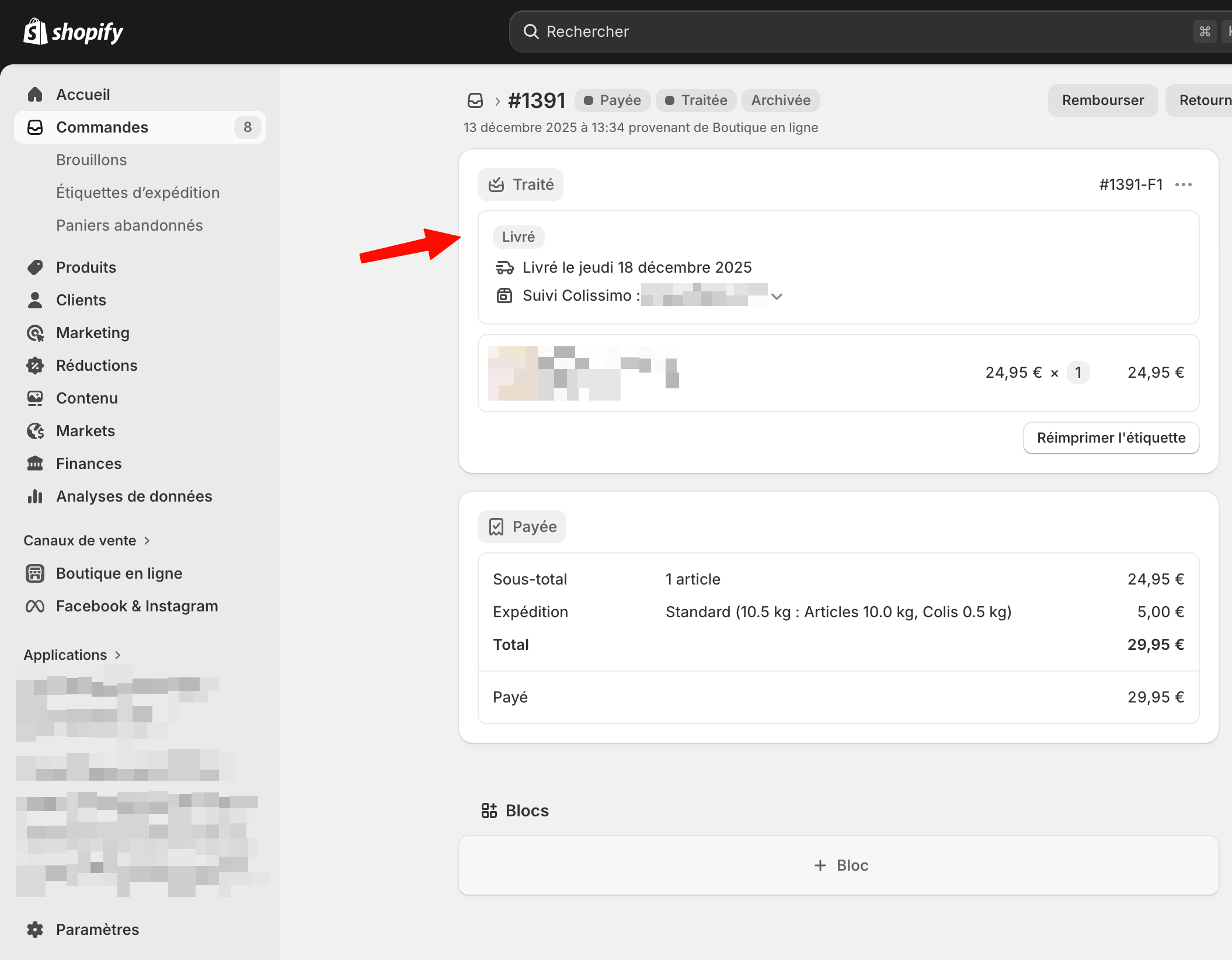
What appears in the tracking number section determines the scope of the automations you can set up.
In this case, you see explicit labels such as "In transit", "Ready for pickup", or "Delivered" directly under the tracking number in Shopify.
What you can do with Kanal: You can automate the entire delivery journey, including shipping notifications, arrival at the pickup point, and the final delivery confirmation.
In this case, only the tracking number is displayed. No status update (such as "Delivered") appears, even if the customer has received the package.
What you can do with Kanal: You will only be able to automate the initial "Order shipped" notification, because it is the only event Shopify generates when the shipping label is created. Kanal will not be able to detect the next steps.
If you are in the second scenario, you need to reach out to your carrier or your shipping solution (such as Boxtal, Sendcloud, etc.). Most modern carriers offer this synchronization as a standard feature, but it sometimes requires manual activation.
We recommend contacting your account manager or your carrier's technical support using the message template below.
Subject: Synchronizing delivery statuses with our Shopify store
“Hello,
We currently use your services to ship orders from our Shopify store.
As part of improving our customer experience, we would like to make sure that delivery tracking statuses (in transit, at the pickup point, delivered) are automatically transmitted and made visible directly inside our Shopify admin.
This synchronization is essential so that our third-party messaging apps can access this information in real time and automate our tracking notifications to our customers.
Could you confirm whether this option is enabled on our account, or let us know the steps to follow to set up this data feed?
We look forward to your reply. Best regards,
The [Your company name] team”
Once you have confirmed that statuses flow correctly into Shopify, go back to the Automation section in Kanal to activate your Shipment Update flow. Remember to check that each delivery step (shipped, out for delivery, delivered) is connected to the matching WhatsApp template.
