Account quality is the rating Meta assigns to your WhatsApp Business number. It reflects how your recipients react to your messages and directly determines what you can send.
Meta uses it to identify risky business accounts and make sure WhatsApp users do not get spammed. An account whose messages are frequently blocked or reported sees its quality drop, and can have its sending restricted and then suspended.
This strictness also works in your favor. Because the channel stays protected from spam, your messages land in an environment where recipients are receptive. A healthy account means messages that get read, opened, and acted on.
Meta evaluates your account continuously, over a rolling 7-day window. The main criterion is how many times your messages are blocked or reported as spam by their recipients.
Level | What it means |
|---|---|
High | Your account is healthy. You can send normally and grow your volumes. |
Medium | Warning sign. Your recent sends generated blocks. Slow down and monitor your campaigns. |
Low | Your sending limit is frozen and Meta can pause your marketing templates. Only utility messages and replies to customers remain possible. |
When your account is created, quality is set to High by default. The whole challenge is keeping it there.
The most common mistake is launching a campaign to several thousand contacts in the very first days. A new account has no history: Meta has no reason to trust you, and a spike in blocks makes your quality drop immediately.
The right approach is gradual:
First activate your order confirmation, shipping tracking, and abandoned cart flows. These messages are expected by your customers, generate few blocks, and produce steady conversation volume. This shows Meta that you use WhatsApp legitimately.
After a few weeks, send your first campaign to a small, engaged segment: recent customers, repeat buyers, contacts who have already interacted with you. The block rate there is low, which strengthens your quality instead of weakening it.
Expand your audiences step by step, checking your quality after each send. Only message opt-in contacts, who have explicitly consented to receive your messages on WhatsApp.

When you message a contact who does not have your number saved, WhatsApp displays a security banner with two buttons: Block and Continue. Blocking is therefore one click away, from the very first message.
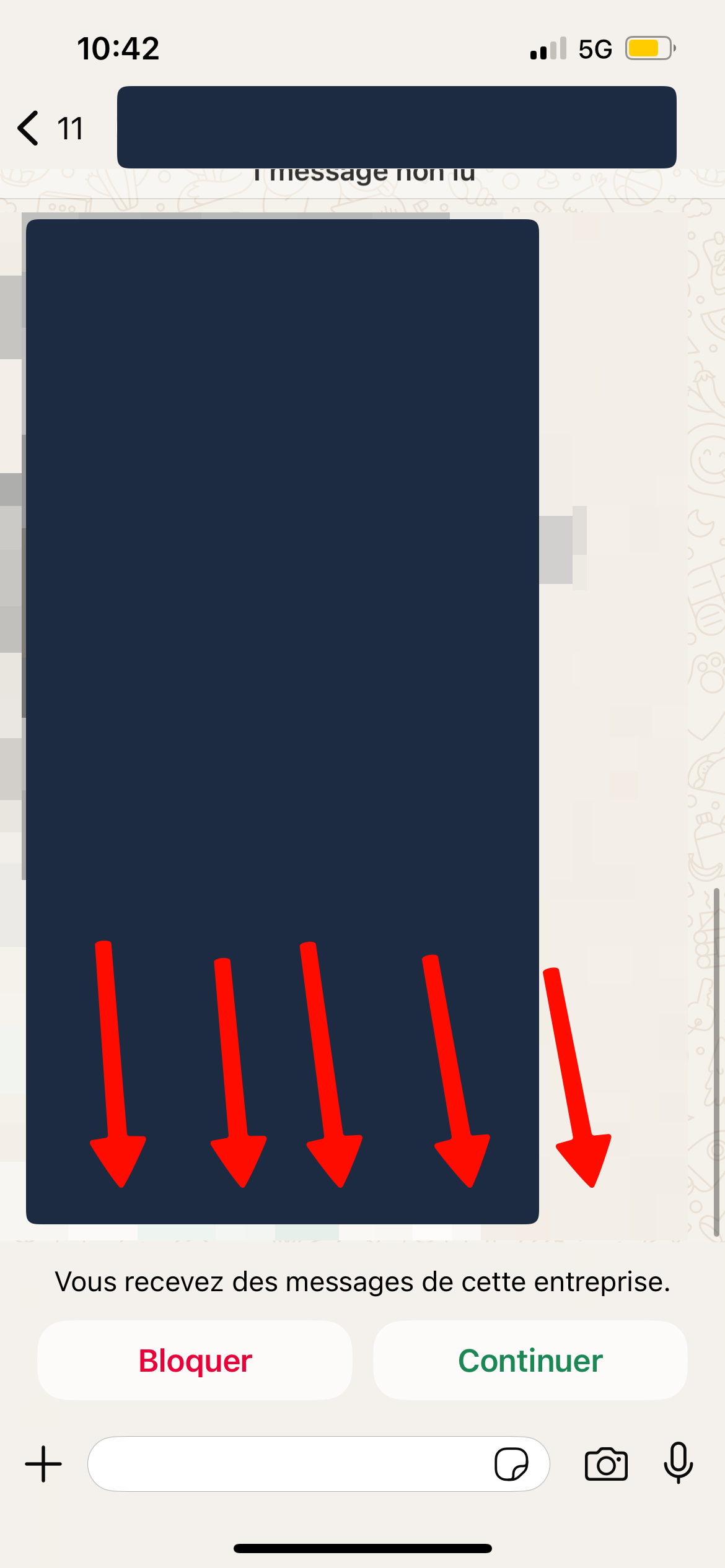
Three situations most often trigger this reflex:
Too much marketing pressure: messages that are too frequent or a tone that is too salesy.
A lack of relevance: sends to cold contacts who are not expecting to hear from you.
No consent: contacts who never agreed to be reached on this channel.
The structural point to keep in mind: WhatsApp is not email. Email is a mailbox where a certain amount of advertising is tolerated. WhatsApp is a personal space, used to talk with close friends and family. A marketing practice that is routine in email is perceived there as an intrusion.
If your account falls to Medium or Low quality, apply the following procedure:
Pause your campaigns until the situation stabilizes.
Temporarily disable the marketing flows most likely to get blocked, starting with abandoned cart. If your sends come from Klaviyo, pause the webhooks.
Keep your utility flows active (order confirmation, shipping tracking). They generate positive interactions and actively help your quality recover.
Wait 2 to 3 days. Meta automatically re-evaluates quality over its rolling 7-day window.
Then resume your sends gradually, starting with your most engaged segments.
Meta does not share the details of its decisions. Quality sometimes drops without any obvious explanation, and we do not always have a definite answer to give you.
In those cases, the approach is to reconstruct the history: which campaigns were sent over the last few days, to which audiences, which automations are active, and which templates generated the most volume. Cross-referencing these elements is how you identify the send most likely responsible. Our team can run this analysis with you.
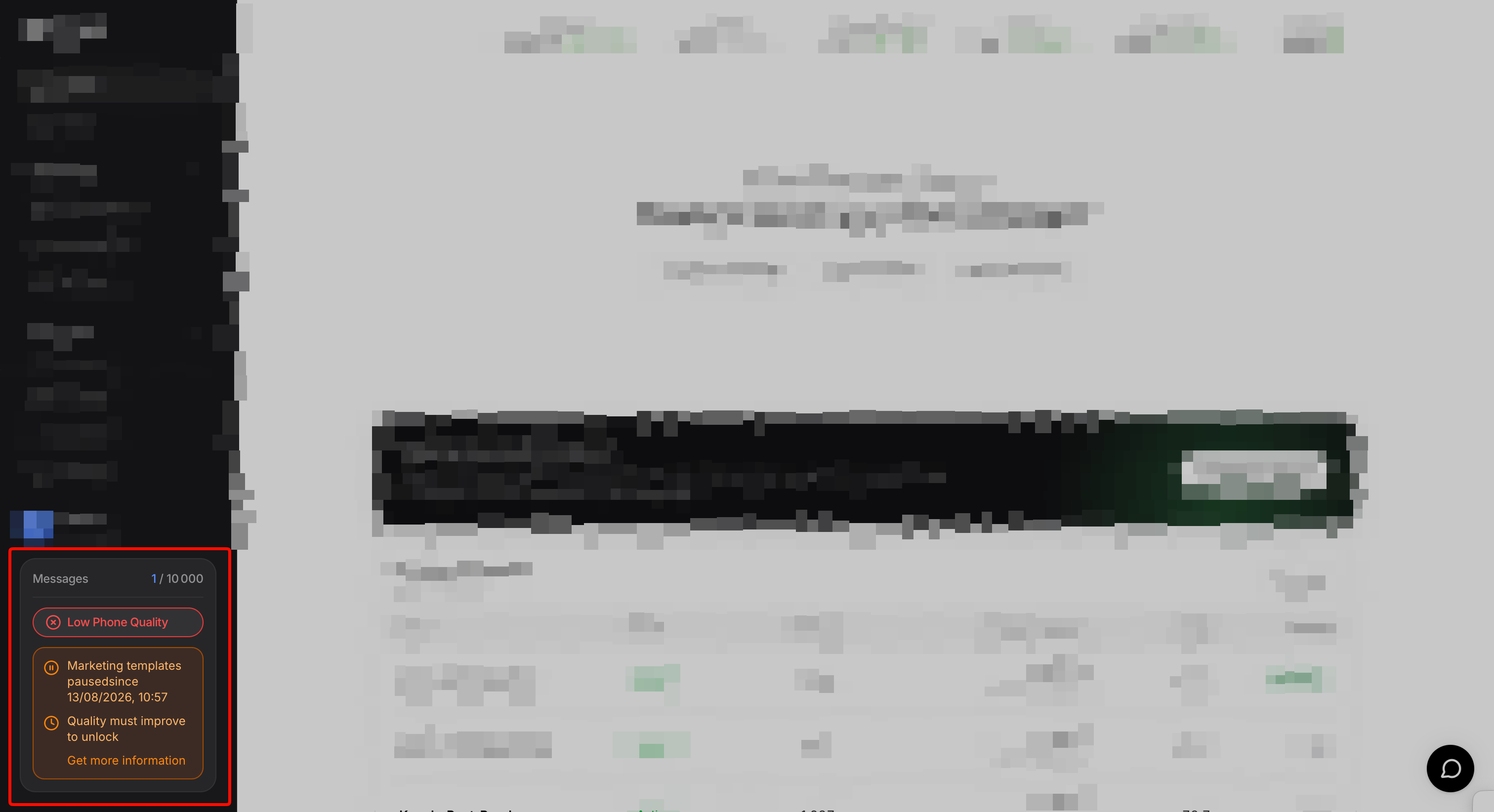
This message means Meta considered that your account was sending spam. Sending marketing templates is suspended, usually for 2 to 3 days, then lifted automatically.
The Business Manager owner normally receives an email from Meta stating that the WhatsApp Business account was flagged as sending spam.
During this period, your utility templates and your replies to customers keep working normally. Your customer support is not interrupted, and these exchanges help restore your quality.
When an account's quality drops sharply from High to Low, or when a Meta warning email is received, we temporarily lock the account for 2 to 3 days. This protective measure prevents new sends from making the situation worse and leading to a permanent ban.
Our team monitors locked accounts daily and reactivates them manually as soon as quality is back at a safe level. The recovery procedure described above also applies in this case.
You can track your account quality in two places.
On Kanal: at the bottom left of your interface.

On Meta, to view the detailed history: Settings → WhatsApp Profiles → Go to Meta → the Insights tab, then scroll down to the quality chart.

