Has your WhatsApp account been blocked by Meta? This article explains how to identify the reason and duration of the block, and what to do next.
When Meta restricts your account, an orange box appears at the bottom left of your Kanal interface, in place of the message counter and the quality indicator. It shows the title "Account violation", a message stating that the Kanal team has been notified, and a "Contact support" link that opens the support chat.
Kanal then blocks all sending, Inbox replies included, even when Meta only restricts templates, and pauses your campaigns. A ban can show up in Kanal up to 3 hours after Meta's decision. The history of Meta events is shown in Settings > Account updates (click your team name, then Settings).

Meta can block an account for several reasons (spam or objectionable messages, non-compliance with the WhatsApp messaging policy, violation of the terms of service or commerce policy, etc.). Depending on the reason and severity, the penalty can be:
A warning, which states the policy violated.
A 1 or 3 day restriction: at Meta, only templates are blocked. In Kanal, all sending is blocked during the restriction.
A 5, 7 or 30 day restriction: all messages are blocked.
An account lock: indefinite block, lifted only if a review request is approved.
A permanent disablement: a review request is still possible, but the chances of success are low.
Each level is explained in detail here: What to do if your WhatsApp account gets banned?. In every case the process is the same: identify the reason and the duration by following the steps below, then send us that information.
In Kanal, click your team name, then Settings > WhatsApp Profiles.
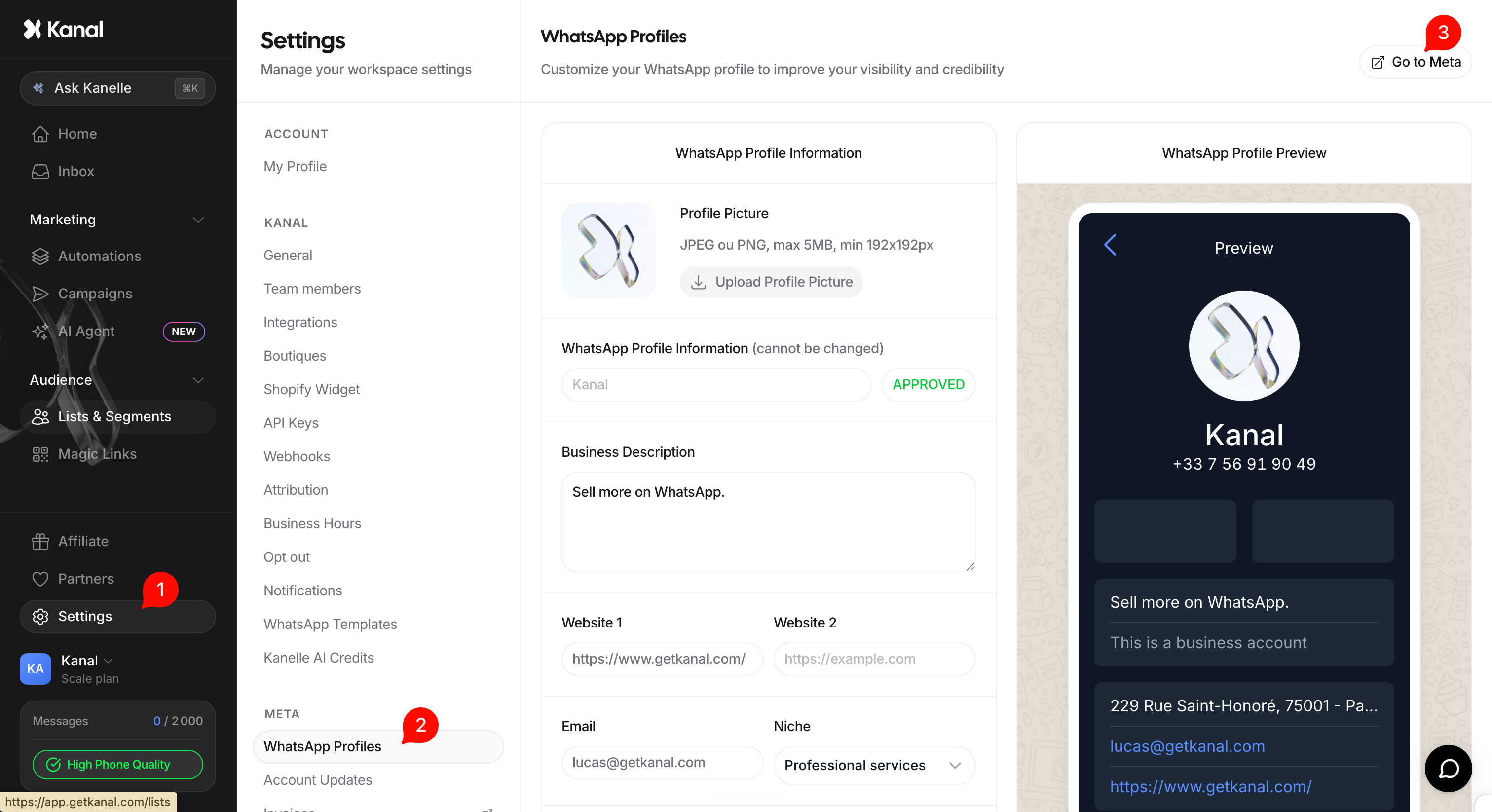
Click the "Go to Meta" button. You are redirected to the Meta interface of your WhatsApp Business Account (WABA).
At the top of the interface, a red "Account restricted" banner is displayed.
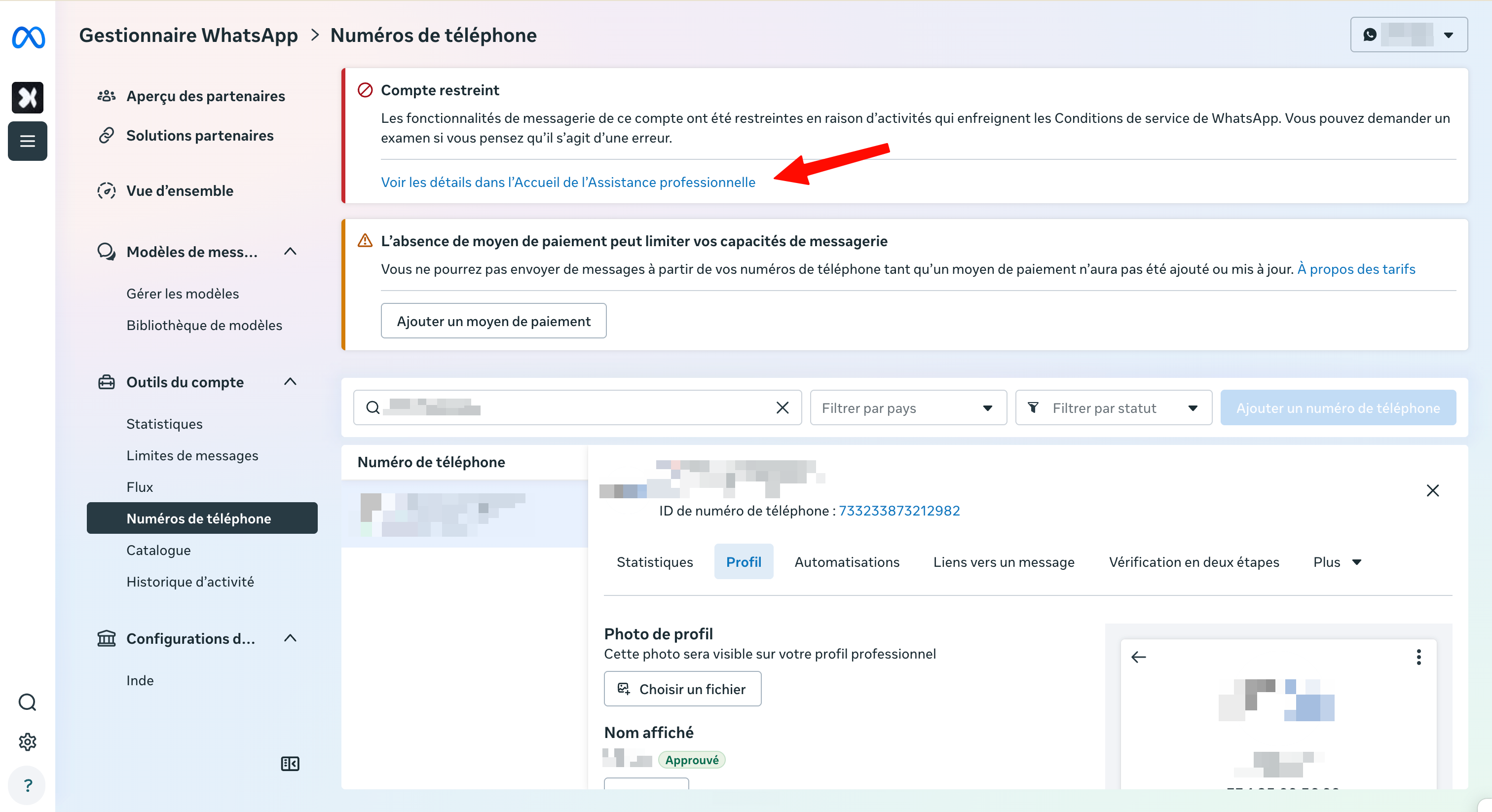
Click "See details in Business Support Home" to access the details.
On the Business Support Home page, you see the exact reason for the block (for example "Sending spam", or a terms of service violation) along with the duration of the restriction. This is where you find out whether it is a temporary restriction (and for how many days), a lock, or a disablement.
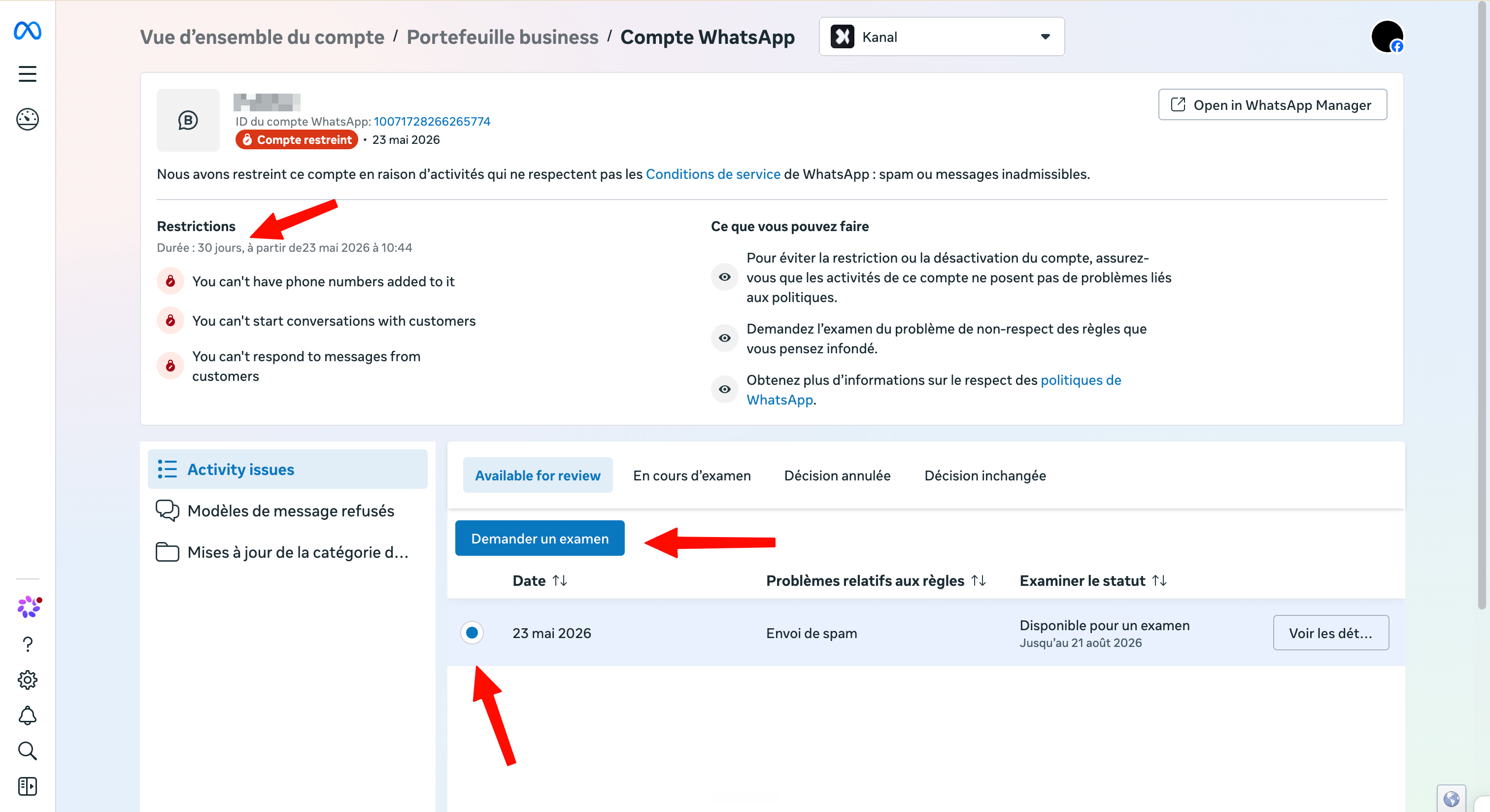
Contact our team through the support chat and tell us the reason shown and the duration of the restriction. A screenshot of the Business Support Home page saves us time.
We then write and submit the review request to Meta, with the argument tailored to the reason for your block.
Meta usually replies within 24 to 48 hours. We keep you informed of the decision.
Review approved: the violation is reversed and the account returns to its previous status. Our team then reactivates sending in Kanal.
Review denied on a temporary restriction: the restriction runs until its end. When it ends, sending does not resume on its own in Kanal: contact us to reactivate it.
Review denied on a permanent disablement: the account stays banned; the final decision rests with Meta. You can start again with a new number, with the help of our team: starting again after a disablement.
Throughout the block, we remain available to review the campaigns and automations behind the report, so the situation does not happen again.
