A display name rejection from Meta is never final. It almost always comes down to consistency between your brand name, your legal entity, and your website. This guide walks you through Meta's criteria and the steps to follow to get approved.
Meta compares the requested name with the information in your business portfolio and your public assets. Three causes come up again and again:
A gap between the brand and the legal entity: Meta cannot connect your store name to your registered company name, for example "My Little Dress" versus "Durand LLC".
No external proof: the requested name does not appear visibly on your website. This is the most common cause.
A non-compliant format: all caps, emojis, special characters, a slogan, a price, or a web address in the name.
Criterion | Accepted | Rejected |
|---|---|---|
Representation | The real name of your company or your brand | A generic term ("Fashion") or a location on its own ("Paris") |
External proof | A name visible on your website | A name missing from your official assets |
Branding consistency | The exact name as it appears on your website | An abbreviation or a shortened version of your brand |
Commercial neutrality | "My Store" | "My Store -20%" or any promotional slogan |
Format | "My Store", in normal case | "MYSTORE!!!", "my-store.com", or a name with emojis |

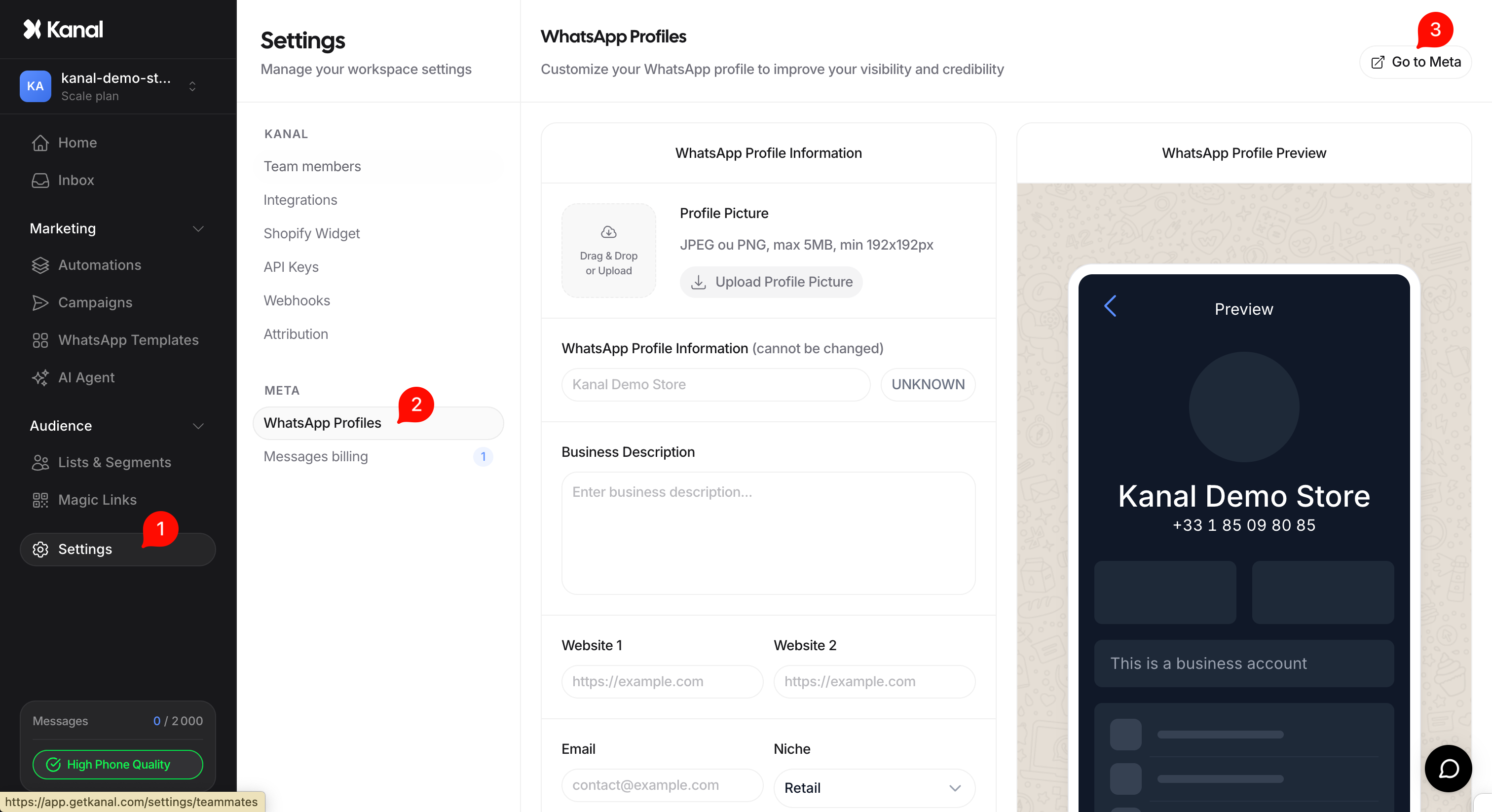
In your Kanal interface, go to Settings.
Click WhatsApp Profile.
Click Go to Meta to be redirected to the WhatsApp Manager.
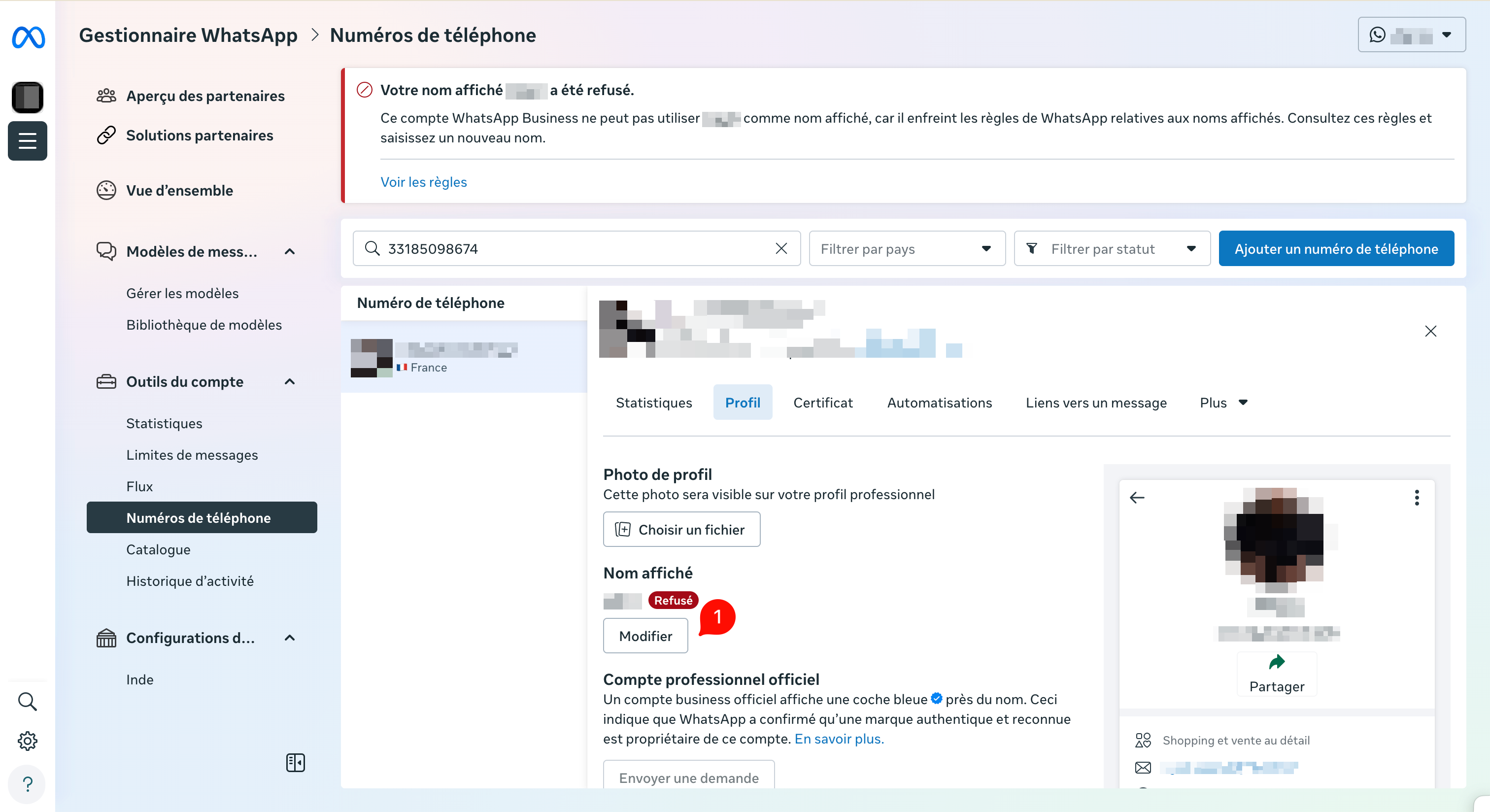
Go to the Display name section, where the rejection reason is shown.
Click Edit (pencil icon).
Enter the name you want, matching the exact spelling and casing used on your website.
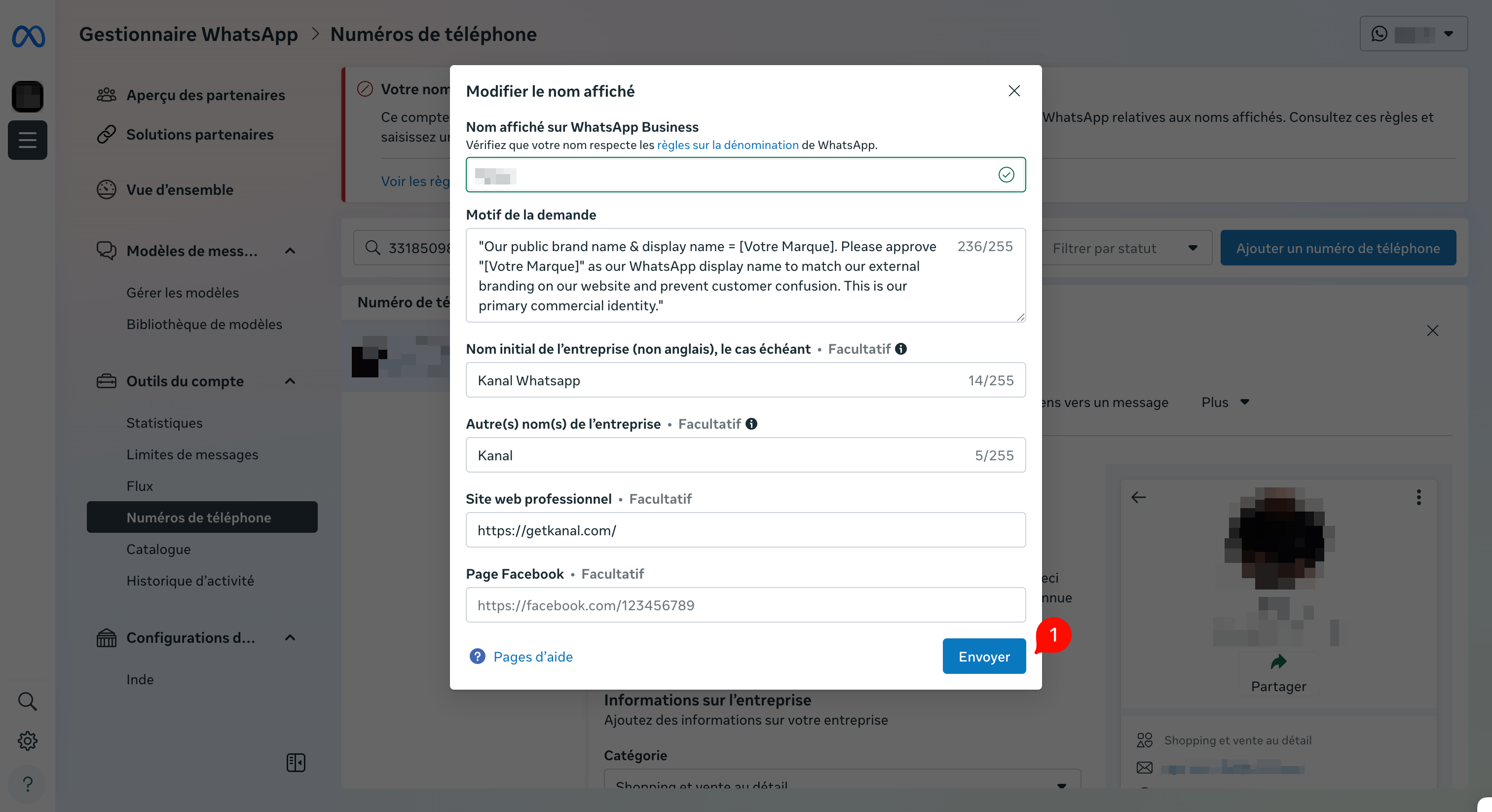
This is the decisive step. Fill in each field carefully:
Reason for the request: use the justification provided below rather than a generic sentence.
Original business name: your registered company name, as it appears on your business registration documents.
Other business names: your trade name or brand name.
Business website: the URL of your store, where the requested name must be visible.
Requests are reviewed by Meta's teams, so write your justification in English. Replace the text in brackets with your brand name:
Our public brand name and display name = [Your Brand]. Please approve "[Your Brand]" as our WhatsApp display name to match our external branding on our website and prevent customer confusion. This is our primary commercial identity.

After a second rejection, the effective approach is to fix the cause rather than insist:
Make the name visible on your website: display it identically in your footer, your legal notice, or your "About" page.
Check your business portfolio: the legal company name and the website URL must be filled in correctly in your business information.
Submit a compliant variant rather than the same name. The "Brand by Legal Name" format makes the link between the two entities explicit and usually passes validation.
If your name keeps getting rejected despite these checks, contact our team through the chat in your Kanal interface. We will review your Meta configuration and suggest a wording adapted to your situation.
