For brands selling in several markets, language personalization is a key driver of conversion rate. Kanal lets you segment your automated flows to send the right message template based on your customer's country or language preferences.
To set up language segmentation in a flow, follow these steps:
Open the editor: Open the automation you want to edit from your dashboard.
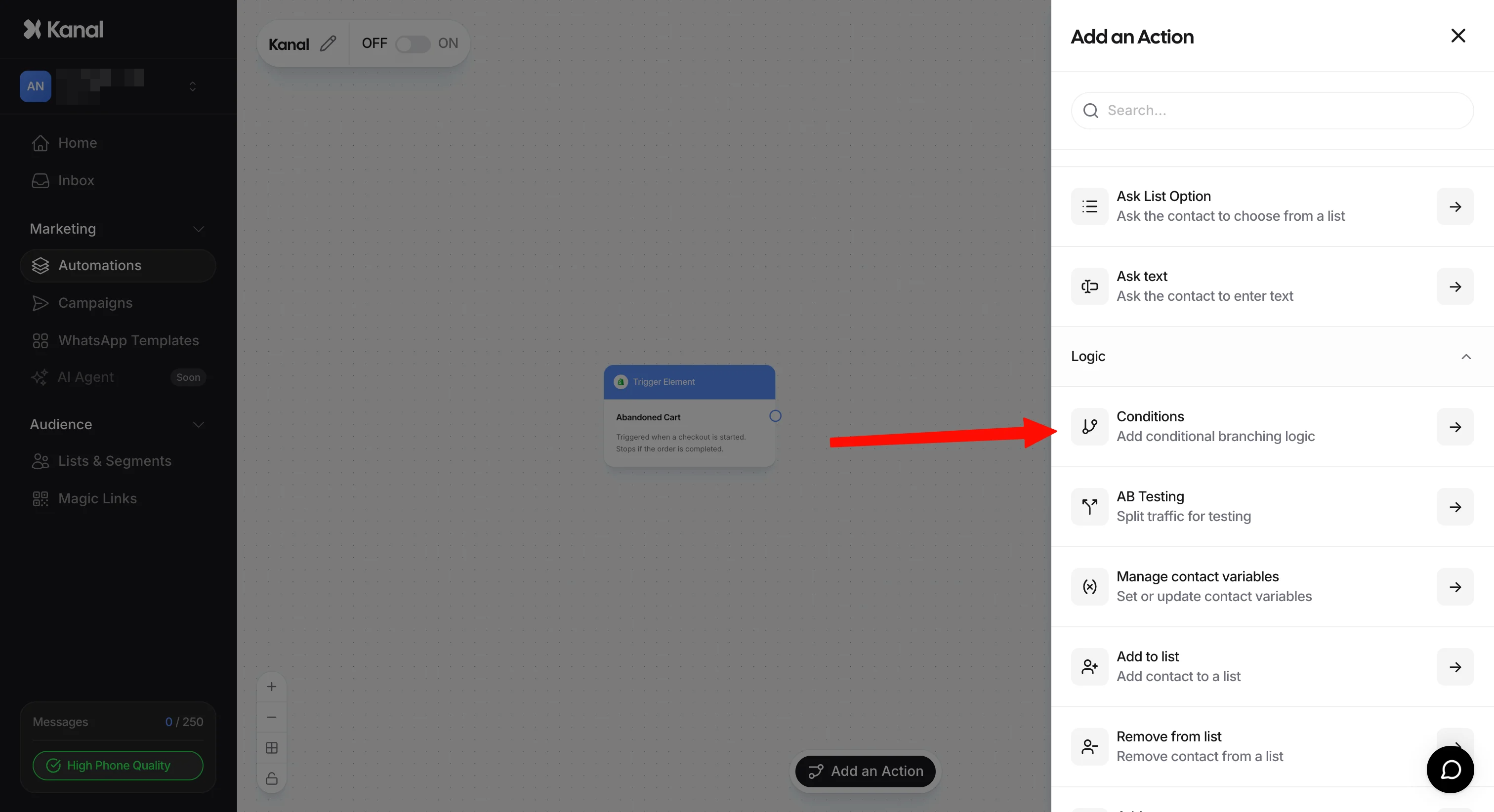
Add the filter node: Click the “Add an Action” button and select the Conditions option.
Logical connection: Connect the trigger or the previous node directly to this new Conditions node.
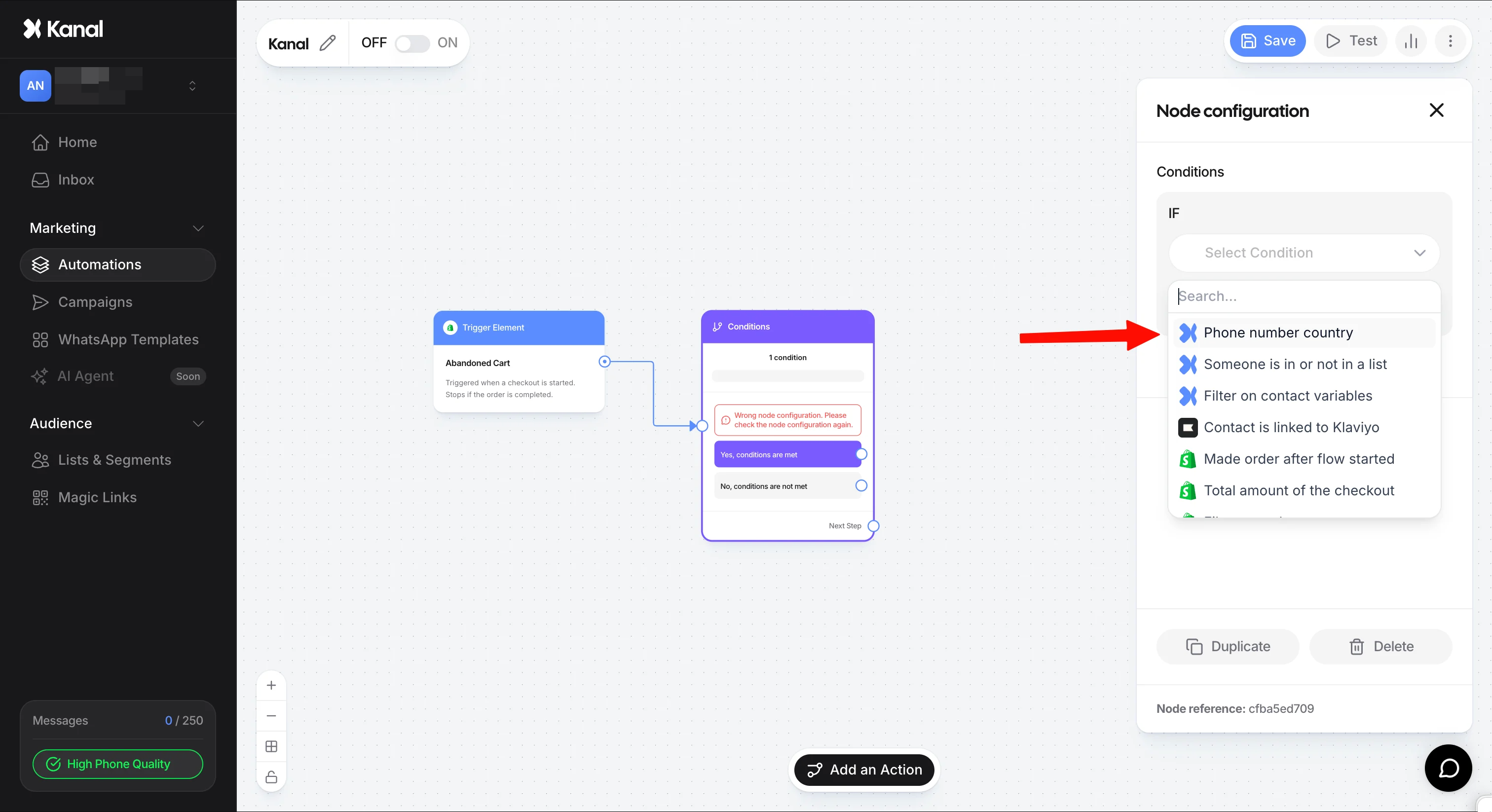
Set the language criterion: In the node settings, choose the segmentation variable. Two main options are available:
Phone number country: This is the most reliable option. The system reads the customer's phone country code (for example +33 for France) to determine where they are from.
Shopify customer locale: The system pulls the language assigned to the customer directly from their Shopify profile.
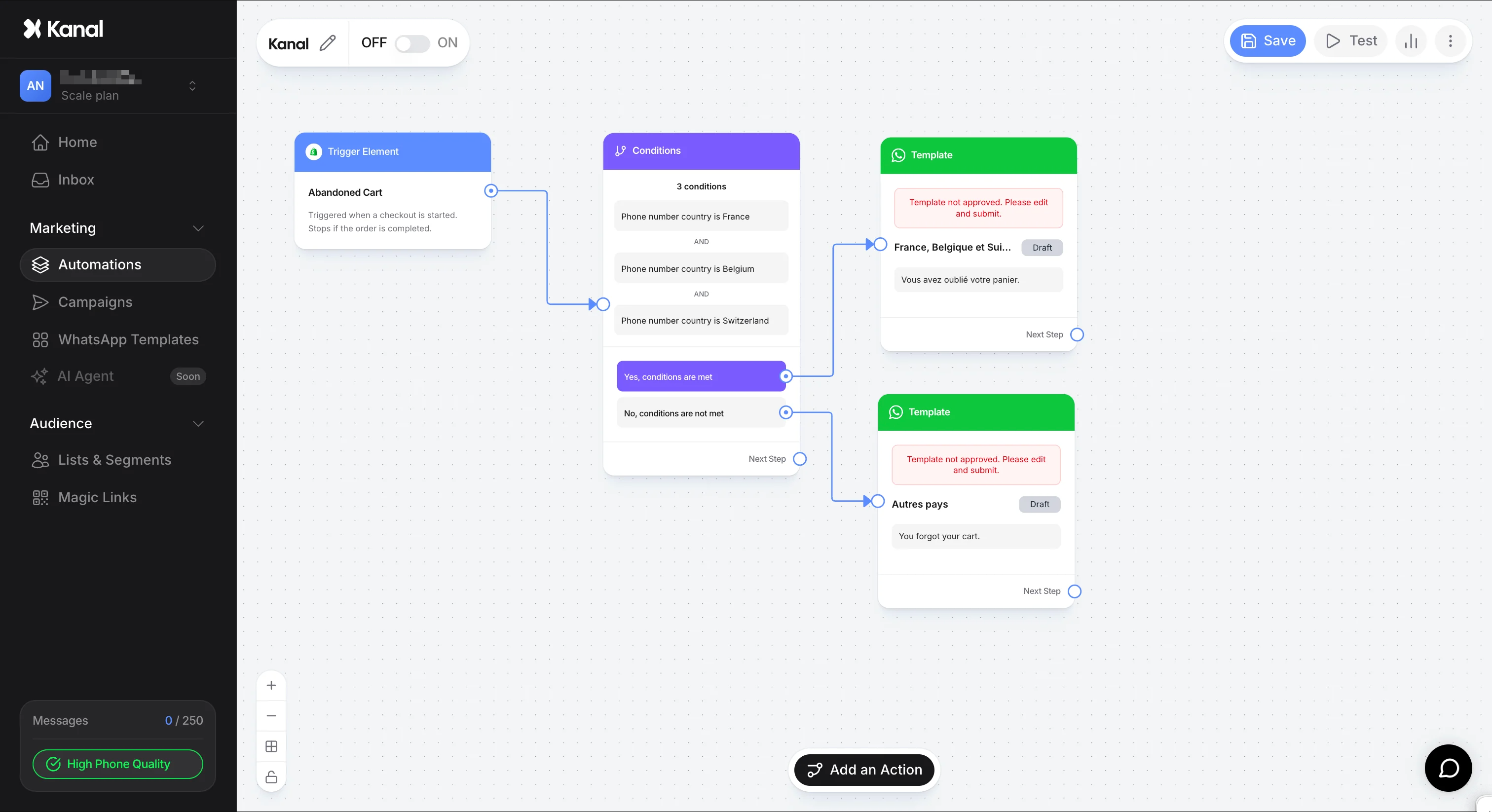
Set up the condition: Select the comparison operator (for example "is equal to") and choose the target country or language. You can use the OR and AND buttons to group several countries under the same language (for example: France, Belgium, and Switzerland for a French-speaking flow).
Message routing: Once the condition is set, two outputs appear on the node:
Yes, conditions are met: Connect this output to the template written in the target language (e.g. French).
No, conditions are not met: Connect this output either to a default template (e.g. English) or to a new condition node to filter a third language.
If you need to handle more than two languages, work by elimination and chain condition nodes on the negative branch.
Example for a flow with FR, DE, and EN (default):
Condition node 1: Is the customer French?
If YES: Send the French template.
If NO: Connect to Condition node 2.
Condition node 2: Is the customer German?
If YES: Send the German template.
If NO: Send the English template (the default language for all other cases).
It is important to understand the technical difference between the two available variables so you can pick the one that best matches your customer base.
This method performs best because it relies on a piece of data that never changes: the international dialing code of the phone number. If the number starts with +33, the system will always identify France, no matter the customer's browser settings at the time of purchase. It is the method with the fewest routing errors.
This variable relies on the information Shopify records when the customer profile is created or during their last session. While accurate, it can sometimes be missing or wrong if the customer uses a VPN or browses a version of your site that does not match their native language. Prefer it if you already have very precise customer segmentation in place in your Shopify admin.
Once your branching structure is complete and your templates are connected, save your changes and make sure the automation toggle is set to Active. The system will then start filtering every new trigger event according to your language criteria.