
The HubSpot integration sends the WhatsApp conversations that need a human to your CRM. Your teams find them alongside your other channels and reply from HubSpot.
What the integration does
Only messages that need a human are sent to HubSpot. Messages handled by an automation or by the AI Agent are not, unless the AI Agent hands the conversation over to a human.
Conversations arrive in the inbox you selected, on a channel named "WhatsApp (Kanal)".
On the first transfer, a context note includes the recent exchanges with the customer.
Replies written in HubSpot are sent to the customer on WhatsApp via Kanal. Attachments go both ways. Internal notes are not sent on WhatsApp.
If the 24-hour window is closed, the reply is put on hold and an invitation template is sent to the customer to restart the conversation.
One inbox per team, linked to the team's first WhatsApp number.
Connect HubSpot to Kanal
In Kanal, click your team name, then Settings > Integrations.
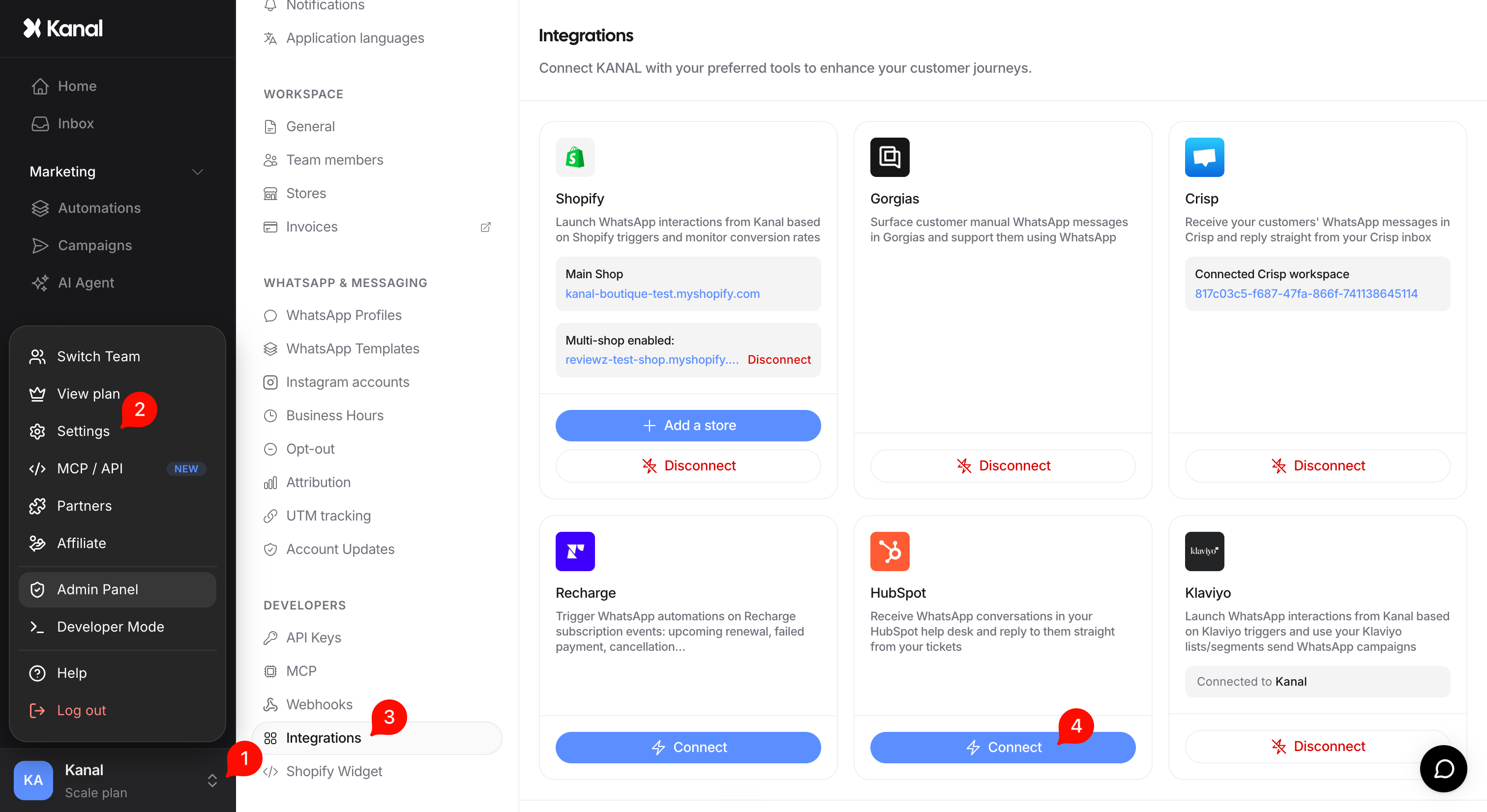
Select HubSpot and start the connection: you are redirected to HubSpot to authorize Kanal (OAuth connection).
Back in Kanal, choose the HubSpot help desk inbox that will receive the conversations.

Identify WhatsApp conversations in HubSpot
Conversations from WhatsApp arrive on the "WhatsApp (Kanal)" channel. Filter on this channel to give WhatsApp exchanges a dedicated queue.
