
The Crisp integration sends the WhatsApp conversations that need a human to your support tool. Your teams handle them from Crisp, alongside your other channels.
What the integration does
Only messages that need a human are sent to Crisp. Messages handled by an automation or by the AI Agent are not, unless the AI Agent hands the conversation over to a human.
On the first transfer, a context note includes the recent exchanges with the customer.
Replies written in Crisp are sent to the customer on WhatsApp via Kanal. Private notes are not sent on WhatsApp.
If the 24-hour window is closed, the reply is put on hold and an invitation template is sent to the customer to restart the conversation.
Conversations remain visible in the Kanal Inbox.
Connect Crisp to Kanal
In Kanal, click your team name, then Settings > Integrations.
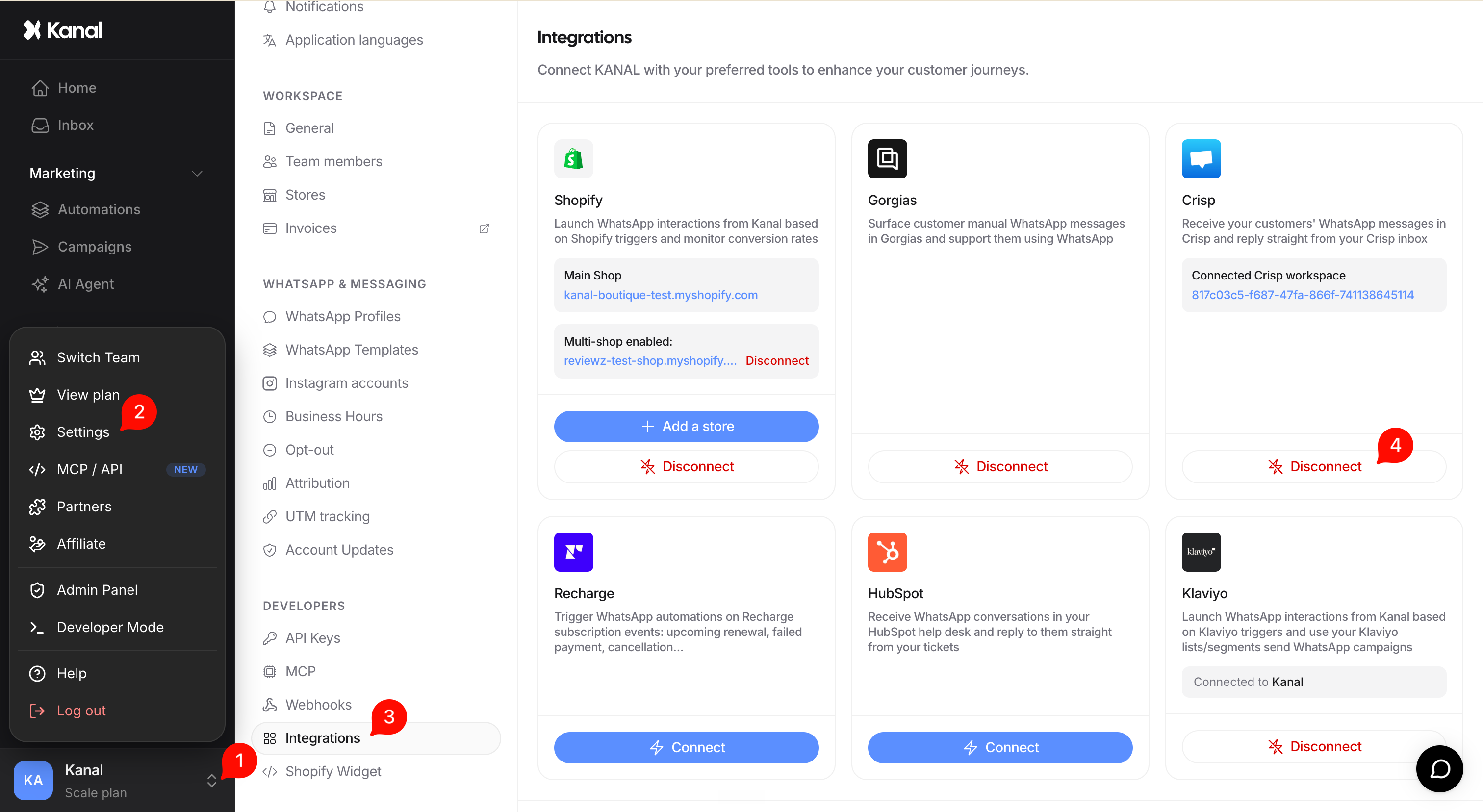
Select Crisp, then install the Kanal plugin in your Crisp workspace.
Go back to Kanal and click the button confirming that you have installed the plugin, to detect your installation.
If detection fails, you can enter your Crisp workspace ID. This fallback only works within 24 hours of installing the plugin.
Identify WhatsApp conversations in Crisp
Conversations from WhatsApp get the whatsapp segment in Crisp. Filter on this segment to give WhatsApp exchanges a dedicated queue.
Uninstall or disconnect
Uninstalling the plugin in Crisp stops the integration.
Disconnecting Crisp from Kanal only removes the link between the two tools. No conversation is deleted.
