The Gorgias integration sends the WhatsApp conversations that need a human to your support tool. Your teams reply from Gorgias, alongside your other channels.
Only messages that need a human are sent to Gorgias. Messages handled by an automation or by the AI Agent are not, unless the AI Agent hands the conversation over to a human.
One ticket per contact. If their ticket was closed less than 7 days ago, it is reopened.
Messages sent from Kanal (campaigns, automations...) do not appear as ticket messages. On the first transfer, an internal context note includes the recent history, up to 20 messages or 14 days.
Replies written in Gorgias are sent to the customer on WhatsApp via Kanal. Internal notes and attachments added by the agent are not sent on WhatsApp.
If the 24-hour window is closed, the reply is put on hold and an invitation template is sent to the customer to restart the conversation.
Conversations remain visible in the Kanal Inbox.
In Kanal, click your team name, then Settings > Integrations.
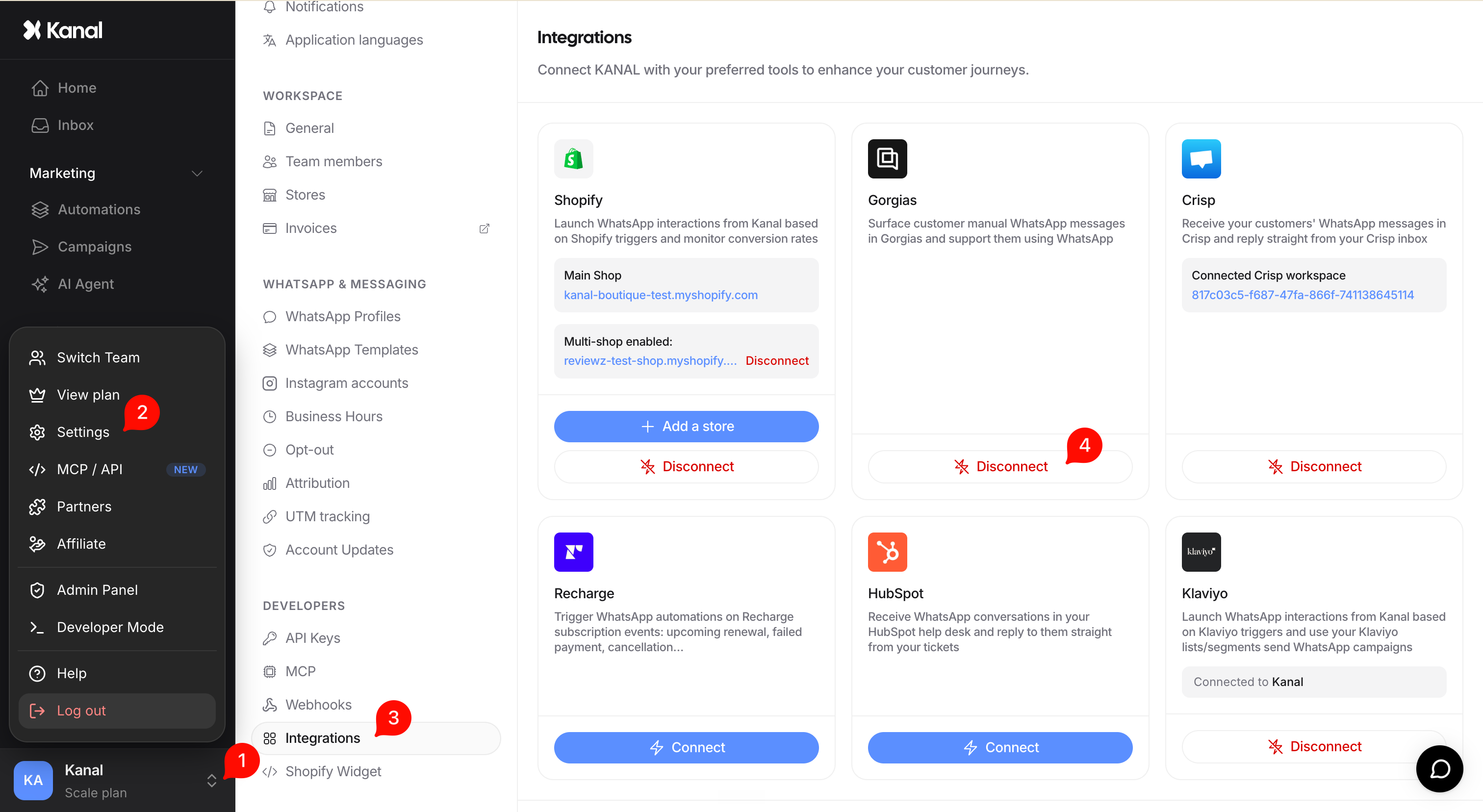
Select Gorgias and enter your Gorgias domain name (the one you use to log in to your support space).
You are redirected to Gorgias: log in and authorize Kanal (OAuth connection).
Once connected, new conversations that need a human appear in Gorgias.
Each ticket from WhatsApp automatically carries the Kanal tag. This tag lets you separate these conversations from the rest of your support and give them a dedicated view.
To create this view in Gorgias: create a new view, add a filter on the Tag attribute and select the Kanal value. Your teams then have a dedicated queue for WhatsApp, separate from emails and other channels.

Disconnection is done on request, by email to Kanal support.

