If you sell subscriptions with Recharge, most of your revenue is not decided at the first order but at every renewal. The Recharge integration plugs your WhatsApp automations directly into the subscription lifecycle: new subscriber welcome, pre-charge reminder, failed payment recovery, cancellation winback.
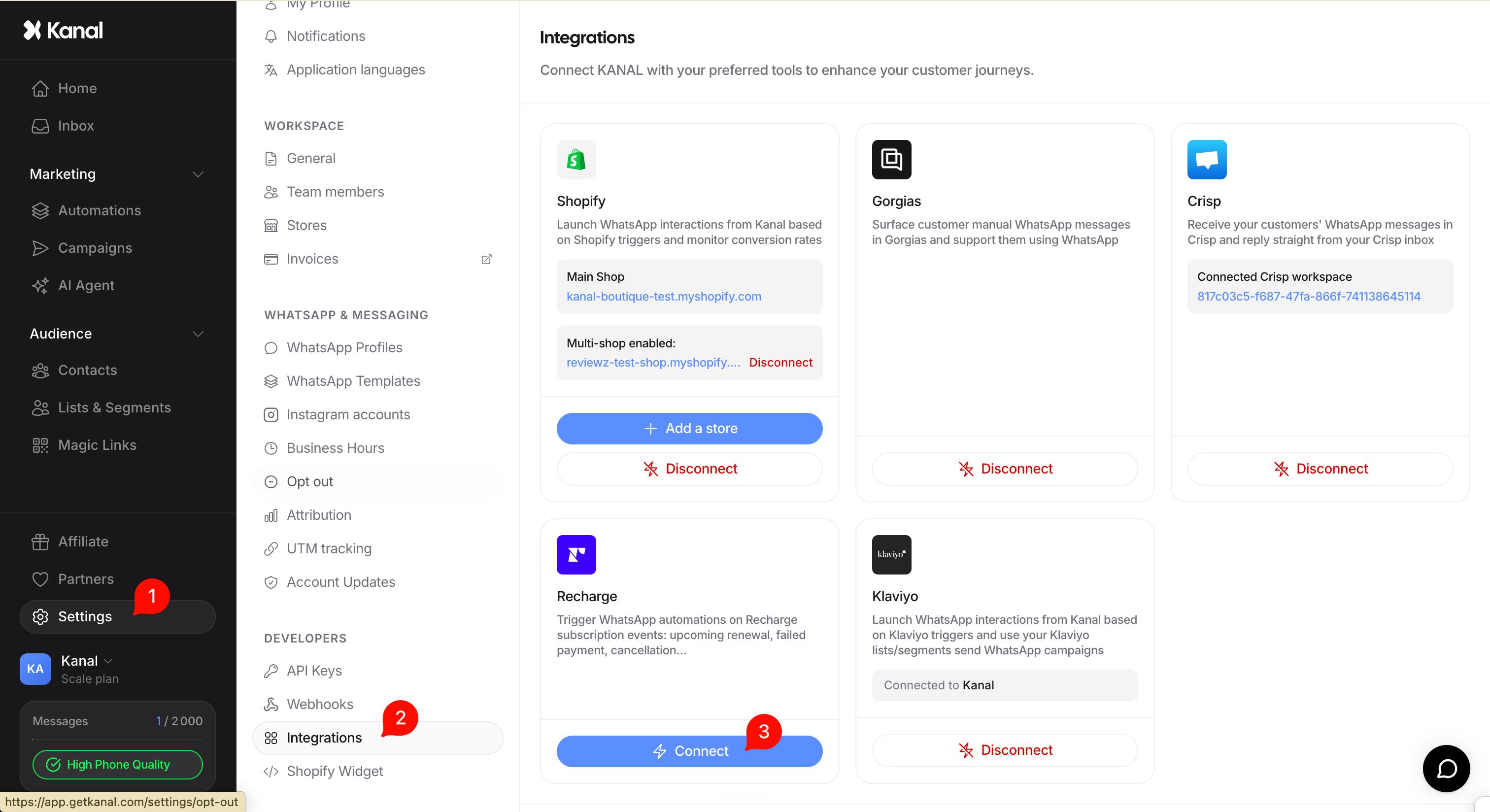
In Kanal, open Settings > Integrations.
Click Recharge, then approve the OAuth connection with your Recharge account. No API key to copy, no webhook to set up by hand.
Once connected, a new Recharge event trigger appears in the automation builder, with 7 subscription events to choose from.
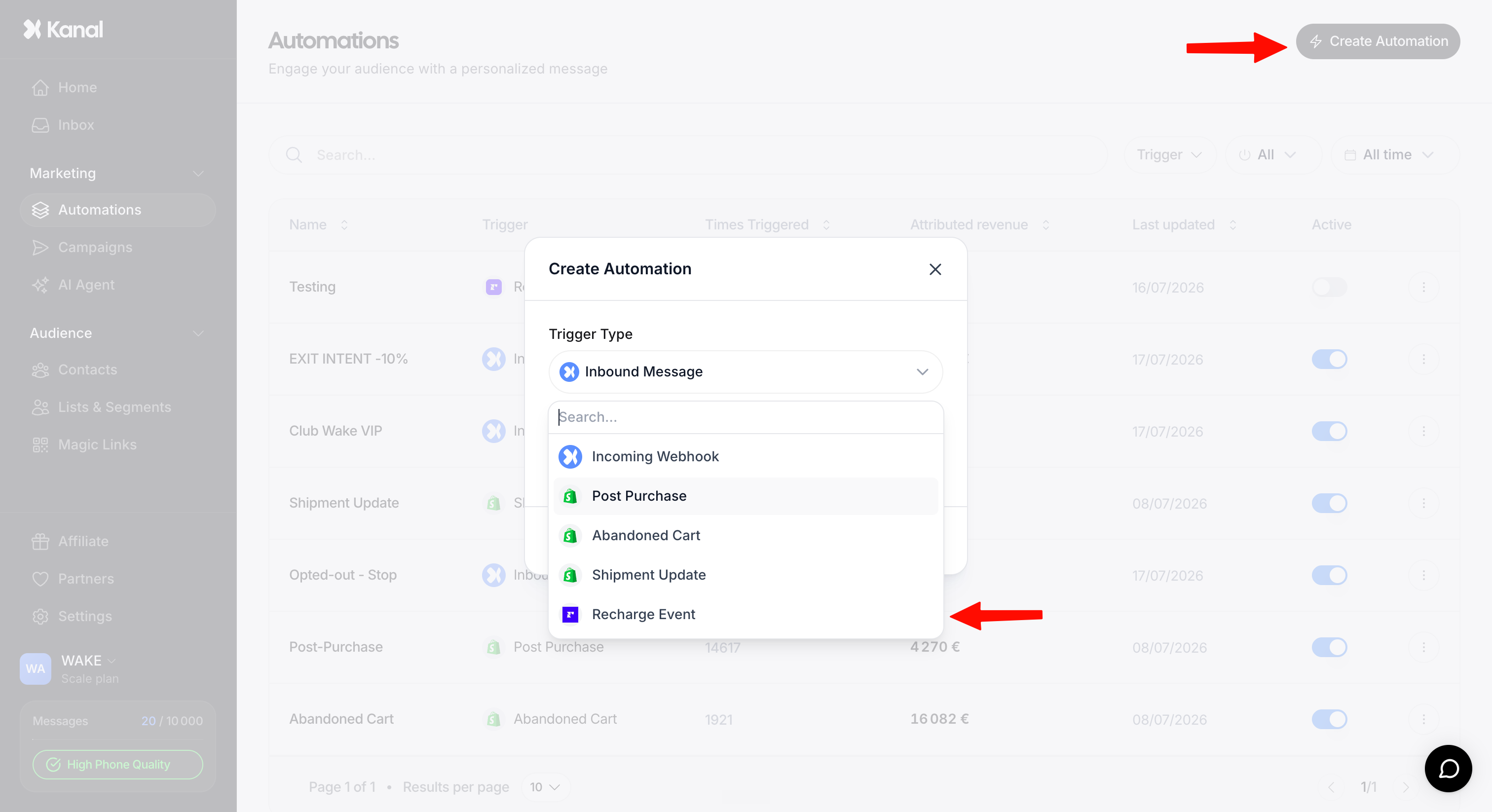
Pick the event, build your message, publish the automation.
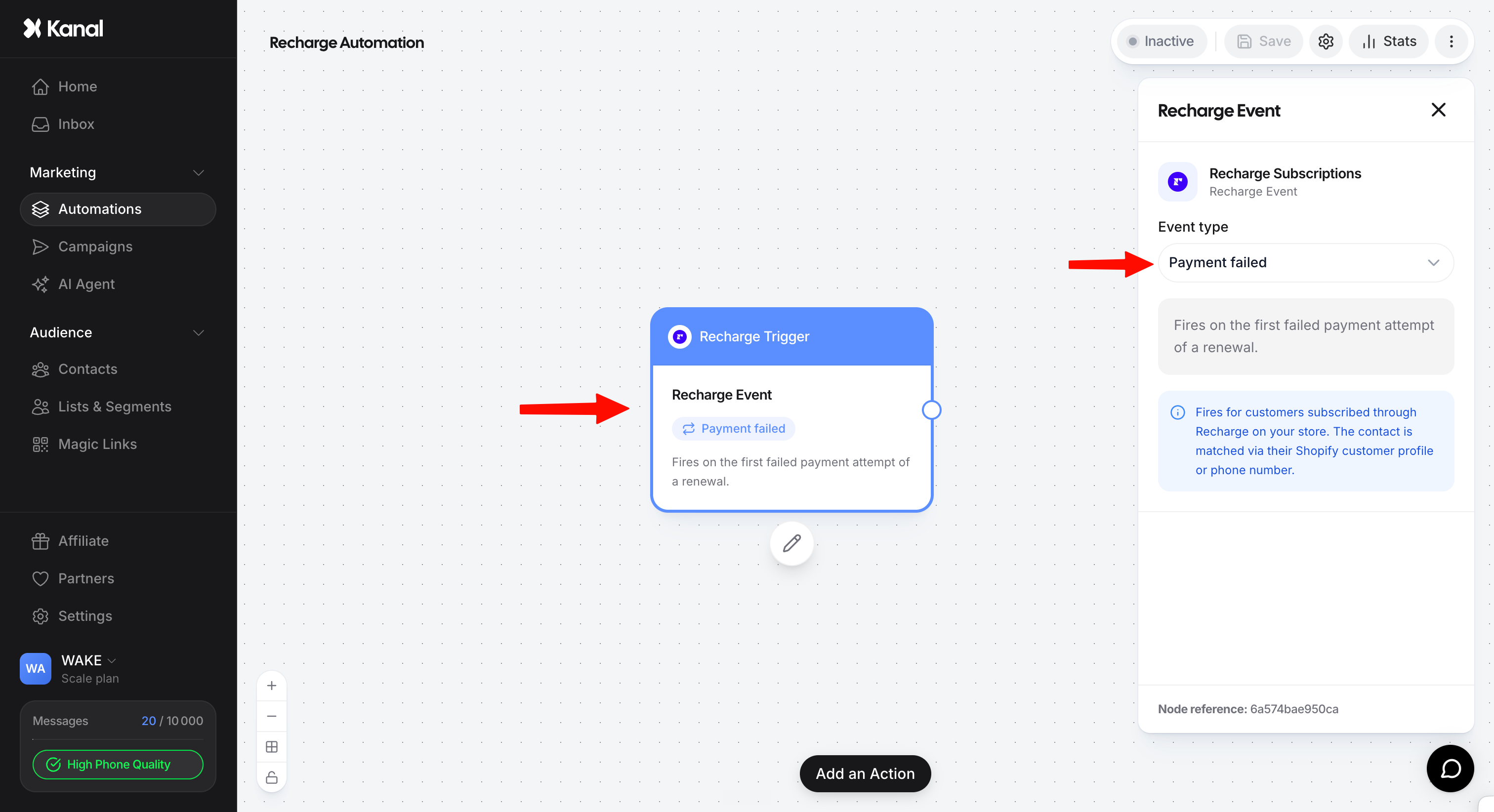
The contact is matched automatically through their Shopify customer profile or their phone number. Every message can use variables from the event (product, amount, next charge date, cancellation reason, and more).
As soon as a customer starts a subscription, send a welcome WhatsApp message: what they will receive, when their first box arrives, how to manage their subscription. It reduces early churn and establishes WhatsApp as the relationship channel from day one.
A few days before the charge (3 days by default, configurable in Recharge), let the customer know their box ships soon, with the product and the amount. Fewer surprises, so fewer payment refusals and refund requests.
When a payment fails, send a follow-up with a link to update the card. The failure cause is available as a variable, so you can adapt the message (expired card, insufficient funds, and so on). This is usually the flow that recovers the most revenue.
When Recharge gives up after 8 failed payment attempts, send one last, more human message (direct help, support contact) so you do not lose the subscriber over a simple card issue.
When a renewal goes through, confirm to the customer that everything went fine and their box is on the way, with the order contents. It reassures them and sets the stage for cross-sell.
When a customer cancels, send a message tailored to the cancellation reason, available as a variable: "too expensive" triggers an offer, "too much product" proposes spacing out deliveries. Reason-targeted winback performs far better than a generic message.
When a customer skips a delivery, confirm it has been taken into account and tell them when the next one arrives. It prevents the classic "I skipped but I was still charged?" question that generates support tickets.
Flows do not only send messages: they can also write back to Recharge.
Adds a one-time product to the customer's next box, at the price you choose. Perfect for pre-renewal upsells: the subscriber replies, the product lands in the box.
Starts a recurring subscription, bundled into the same box as the current one. One reply turns an add-on into recurring revenue.
Depending on the selected event, you can insert into your messages:
Customer first name, last name, and email
Subscription product
Amount and currency
Next charge date
Subscription frequency
Cancellation reason
Payment error type
If you only activate two: start with the pre-renewal reminder and failed payment recovery. These are the two flows with the most direct impact on retained MRR. The others then complete the journey.
